Video Wall Panel IDs: Build One Map for Pictures, Cables, and Commands
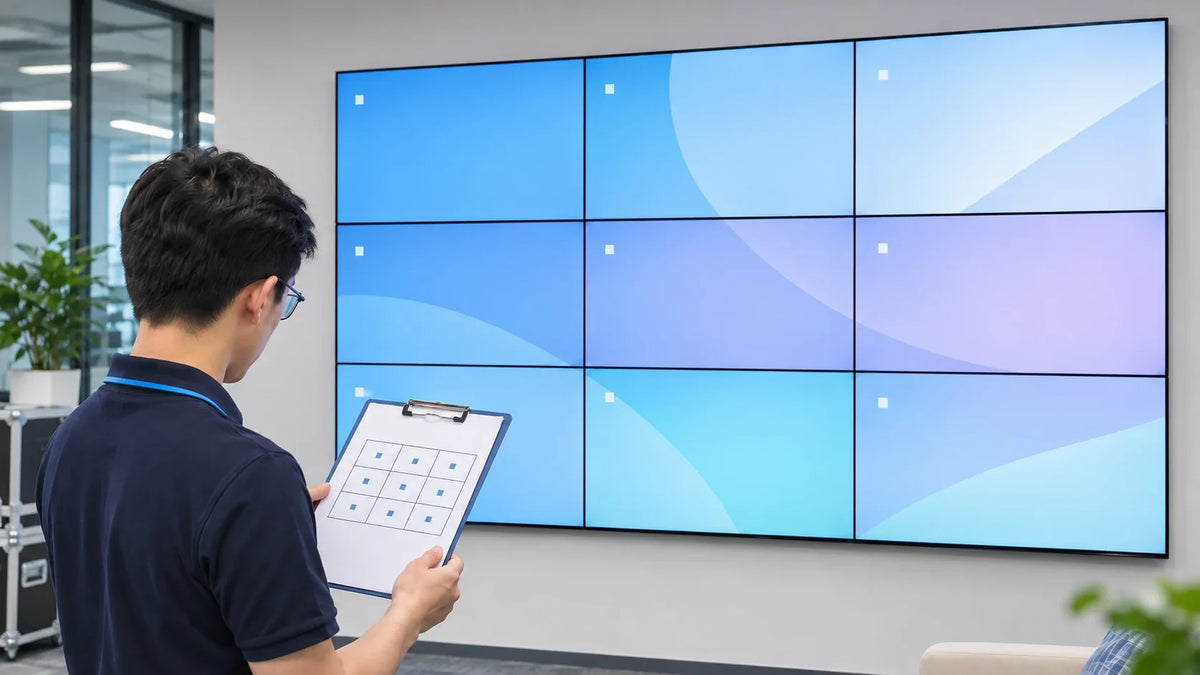
A video wall monitor ID needs a cross-reference to the panel's physical position, the video output or image crop that feeds it, and its asset or serial identity. Record an individual control address only where the selected equipment supports one; otherwise identify the actual controlled group or device. These references do not have to match. They need one document a technician can find at 7 a.m. without calling anybody.
This is for the person commissioning the wall and the person who will service it in three years, possibly after the commissioning lead has left the company. The equipment is chosen by then. The task is to make the identity system survive a panel swap.
Four names for one panel
Scroll horizontally to see all columns.
| Namespace | The question it answers | Assigned by | What breaks when it drifts |
|---|---|---|---|
| Physical position | Which tile is this, from where the audience sits? | Layout or installation lead | The wrong panel is removed; the spare goes in the wrong hole |
| Video output or crop | Which output, cable and image region feed this tile? | AV integrator | A picture lands on the wrong tile; the crop looks offset for no visible reason |
| Control address | Which unit is supposed to answer this command? | Commissioning lead | Two panels answer one command, or the wrong one does |
| Asset or serial identity | Which physical unit is this, and what do we know about it? | Procurement and service | The maintenance record detaches from the hardware |
These namespaces drift apart for reasonable reasons: a processor counts outputs as they were installed, the installation team counts positions from the front of the wall, and the serial numbers were decided in a factory. Forcing four systems into one scheme is a longer project than maintaining the cross-reference.
An example map, and the traps it exposes
Here is a 2x2 wall drawn the way the map should be drawn. Coordinates are front view, audience side. The output labels and device identifiers are invented for illustration: they are not menu names, ranges, defaults or commands for any product, and nothing here should be typed into a configuration.
Scroll horizontally to see all columns.
| Position (front view) | Video output / crop | Illustrative device ID | Asset and serial |
|---|---|---|---|
| R1C1, top-left | Out 1, crop 1 | 01 (example only) | Asset 0001 |
| R1C2, top-right | Out 2, crop 2 | 02 (example only) | Asset 0002 |
| R2C1, bottom-left | Out 3, crop 3 | 03 (example only) | Asset 0003 |
| R2C2, bottom-right | Out 4, crop 4 | 04 (example only) | Asset 0004 |

Three traps hide in that little table.
The mirrored rear view. A technician behind the wall sees the columns in the opposite order to the audience. "Left column" is therefore ambiguous for as long as the drawing leaves the viewpoint unstated. Name the viewpoint on every drawing and conversation, and put orientation markers on the mounting structure rather than trusting anyone's sense of direction at 7 a.m.
Duplicate addresses. Duplicate control identities can cause an action to reach an unintended unit or make responses ambiguous, depending on the protocol. The symptom is memorable: a change appears on a tile nobody touched, and the next hour goes into proving the control path is fine and the documentation is not.
Collective targeting. Some control arrangements let an action apply to a group rather than a single unit. Whether that exists, what it covers and how it is invoked belongs to the documentation for the exact equipment. Sending a collective action "to see what happens" during operating hours is how an afternoon becomes a story.
Christie's user guide for its FHD553-XE-R and XE-HR displays documents a Multi-Display Control section in which a monitor ID is assigned manually to each panel. The portable point is narrow: control identity is a distinct parameter that someone has to configure, not something a wall infers from where a panel is bolted. Menu names, ranges and protocol on any Gemdragon configuration come from that configuration's own documentation.
A reversible verification routine
Changing an address is a small technical act with a wide effect when improvised. Use a site-authorized maintenance window and assign the control and visible-verification tasks to the responsible team.
- Freeze the starting state. Record the position, output, crop and address of the unit you are about to touch, and export the configuration if the tool supports it. A photo of a settings screen beats a memory of one.
- Read before you write. Use the documented identification or status check first, and correlate its device identity with the actual visible tile using the supported method. A returned address does not establish a physical position on its own.
- Change one parameter on one unit. Not a row, not a grid, not "all of them while we are here".
- Verify the intended tile only. Use an agreed visible pattern that makes one tile's identity obvious, or a documented status read, then check that neighboring tiles did not change. That check on the neighbors is the whole point of the routine.
- Roll back if the result is wrong. Re-apply the recorded value, re-read the state, and confirm the routine layout returns.
- Write it down. Who, when, which unit, old value, new value, what was observed.
Scroll horizontally to see all columns.
| Record field | What it should contain |
|---|---|
| Change and reason | "Address corrected after duplicate found"; date; maintenance window reference |
| Unit identity | Asset and serial, plus the position it sits in |
| Before and after | The recorded previous value and the new one |
| Verification and rollback | Which action was used, which tile responded, whether neighbors were unaffected, how to reverse it |
After a panel replacement, add four things: update the asset and serial entry, copy the address and crop records if the replacement requires them, restore any per-panel settings from the record, and verify that only the intended tile responds before the room reopens. Keep the old record. The next technician will want to know what was changed and why.

Keep operators and service in different lanes
The person who recalls a layout and the person who changes an address have different jobs. Operators need usable preset records, the expected display and a way to say "this tile is wrong"; service needs the map, the addresses, the asset register and the change log. A wall that lets the first group edit the second group's layer will page somebody out on a Sunday eventually.
Give the shift team a short fault note instead: which tile, which layout, what they expected, what they saw. That converts a vague complaint into a position on the map, which is the only thing the service lead can act on.

FAQs
Do the control address and the output number have to match?
No. They answer different questions and are assigned by different people. It is tidier when they line up and not wrong when they do not, as long as the cross-reference says what is true.
What if a replacement panel has no address setting?
The equipment documentation decides where identity is stored. It may live in the panel, in the control system, in the output mapping, or in more than one of them. Record which, and test it in the maintenance window rather than during a fault.
Who should be allowed to change a panel ID?
Service, under change control, with the record kept. Operators should be able to see the map and report against it, and should not be editing the layer that commands depend on.
Next step
Start the panel discussion with Gemdragon's existing LCD video wall range. Identify the selected structure and control equipment separately. The identity map belongs to the finished installation, so ask for it before the wall is signed off, not after the first service visit.
Send the wall layout and proposed control arrangement, and request the available configuration-specific documentation and as-built handover scope.
Browse the LCD video wall range or start a project conversation with the drawing.
Related reading: HDMI-CEC versus RS-232 for the control path and what a command does and does not confirm; bezel compensation and content seams for the geometry that positions and crops belong to; the LCD video wall buying guide for the wider project.