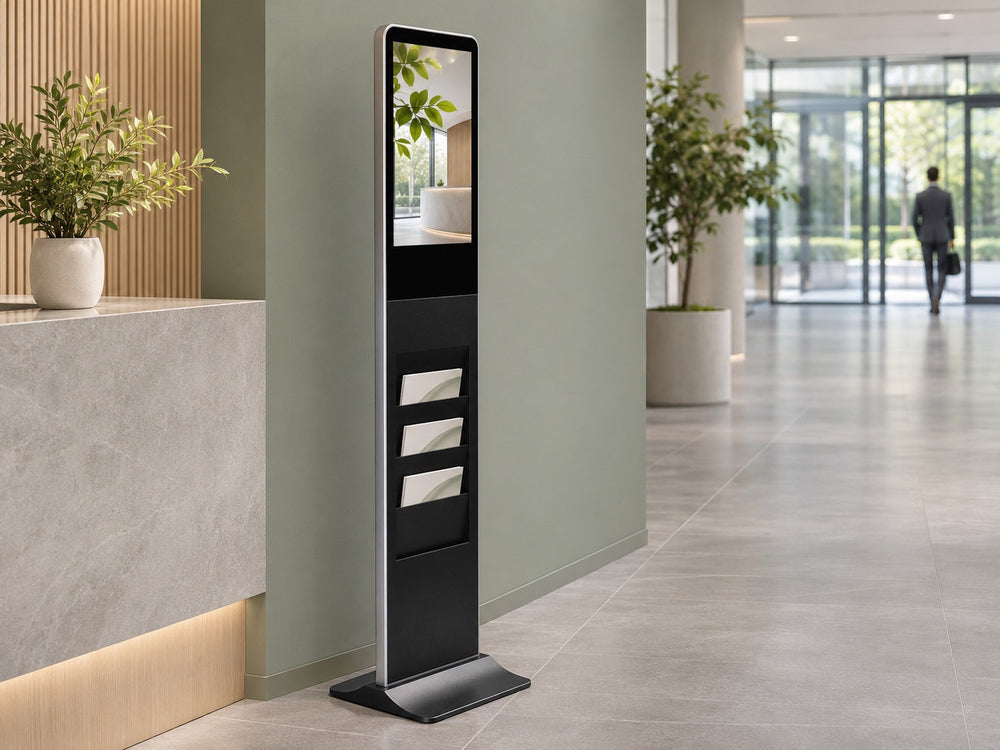
How to Check Whether a Brochure Fits a Digital Literature Holder
Test print stock, folds, pocket lip, pull behavior, and refill clearance before accepting a digital literature holder.

A literature holder that fits a sample in a meeting room can still fail on the floor, because a fit test does not approve the pocket — it approves one print run on one paper stock. For procurement teams and AV integrators, sample acceptance is the cheapest moment to catch that problem. Once the cabinet is installed, a brochure that sags, jams, or hides behind the pocket lip becomes a staff workaround rather than a line item you can fix.
Start With the Print Stock, Not the Sample
Ask for the production stock, not a courtesy copy. Coated and uncoated papers slide differently, a heavy cover behaves differently from a text-weight sheet, and lobby humidity changes both. A sample that passes on office paper only proves that office paper fits. Get the printer's trimmed and folded size plus the stock name, then test the item that will actually ship. If two editions are in circulation after a reprint, test both — the finished dimensions can differ between runs.

Check Fold, Trim, and Lip Obstruction
Place the folded brochure where it will rest and look at the front face at eye level, the way a visitor will. The pocket lip can cover the bottom band of the cover, which is often where the headline or call to action sits. A flat sheet may pass while the folded piece bows at the spine and catches at the top edge. Check both faces, then rotate a copy so the fold sits at the back — a refilling team will not always place copies the same way.
Test Single-Copy Pull and Stack Behavior
A pocket can look correct and still be awkward to use. Pull one copy the way a visitor would and watch whether the next copies travel with it. Then test at several fill levels, from freshly refilled to nearly empty, because a stack that stands upright when full can fan out or slump as it drops. Do not accept a stated capacity figure as a guarantee. Usable capacity depends on stock thickness, fold, and pocket geometry, and the only honest number is the one you observe with your own print.

Confirm Refill Clearance and Record the Result
Refilling is part of the product. Confirm which side the pockets open from, the reach required, and the space available when the cabinet stands in its final location. Clear floor space at the refill side depends on the installation and on local accessibility requirements, so treat it as a project check rather than an assumption. Record every observation on one page and sign it, so the next reprint can be compared against what you accepted.
| Sample check | How to test | Pass looks like | Record |
|---|---|---|---|
| Print stock and edition | Compare against printer spec | Same stock, same trim | Stock name, edition, print date |
| Folded size | Insert the actual folded copy | Sits inside the pocket | Trim size, fold type |
| Lip obstruction | View front face at eye level | Key copy stays visible | Photo of front face |
| Single-copy pull | Repeat a typical pull | One copy out, stack holds | Short note |
| Stack behavior | Full, half, nearly empty | Copies stay orderly | Note per fill level |
| Refill clearance | Stand at final location | Reachable without moving cabinet | Photo, install note |
The U.S. Government Publishing Office printing and binding instructions show how to document finished fold and trim when ordering print. Add those same details to the acceptance record and keep an approved folded sample.


What to Put in the Sample Request
Send the folded sample, printed edition, expected refill interval and site plan when requesting a sample-fit review of Gemdragon’s Digital Signage Kiosk with Brochure Holder. Ask the supplier to tie their answer to that stock and pocket arrangement. Record the approved sample in the quote package.
For the next project step, see the floor-standing hardware buying guide.
Common question
Can I approve the pocket using an office-printed mockup?
Use it to discuss size and artwork. Approve the fit using the actual trim, fold and production stock at several fill levels.