Digital Window Displays or Printed Graphics? Give Each Message a Job
Printed graphics fail by going out of date; screens fail by going dark or stale. Give each message to the layer whose failure you can live with, then put the refresh frequency into an annual cost.
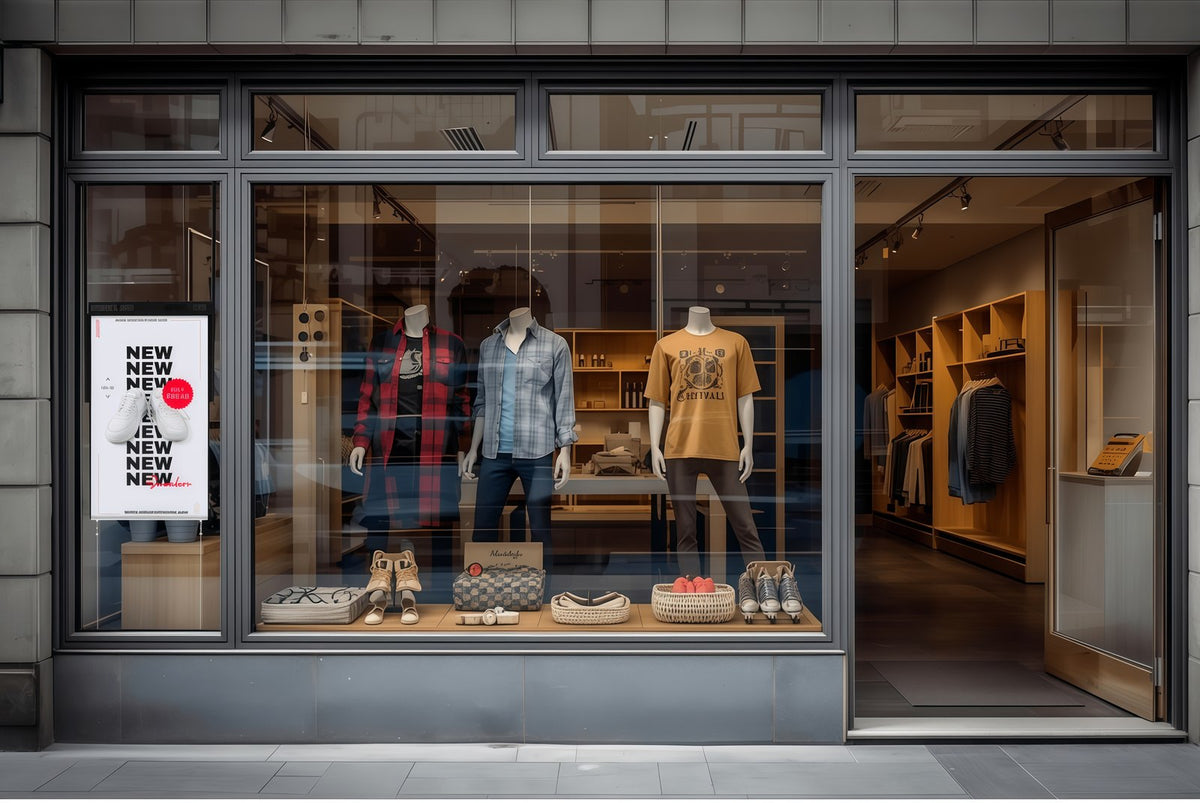
Cover reference: A digital image can share a window with merchandise and fixed information. The photograph does not demonstrate savings.
The argument about a shop window usually starts in the wrong place. Someone proposes a screen, someone else says a printed graphic would do, and it becomes a taste question about technology. It is an allocation question, and the two options fail in completely different ways.
Print can remain visible without power, but it can also become damaged or inaccurate. A digital display can change frequently, but it needs an operating content process and a verified fallback. Allocate each message by its useful life, visibility requirement, update work and consequences of being wrong.

Four properties that decide where a message goes
How often it changes. A weekly message belongs on the layer that is cheap to change. An annual one does not.
How exactly it has to be right. Opening hours, notices and price claims have an accuracy requirement, not a freshness preference. That layer needs an owner and a check, not only a scheduler.
How much of the window it must cover. A screen covers a rectangle. Printed graphics wrap around mullions, run to the glass edge and follow an awkward reveal — an advantage no screen recovers.
What it does when it fails. The property most often left out, and the one that decides which layer carries the messages you cannot afford to lose.
A fifth property — how the message survives daylight and reflections — belongs to the window rather than the layer; the window survey covers it for print as much as screens.
The message-lifecycle allocation matrix
Fill this in for your own window before comparing costs. The middle column is the decision; the right-hand column is the reason, which is the part that survives a change of marketing manager.
Scroll horizontally if needed to compare all columns.
| Message | Layer | Why |
|---|---|---|
| Store name and entrance marker | Print, permanent | Anchors the window; survives a power cut |
| Published opening hours | Print, permanent | Remains visible unpowered; still needs review when hours change |
| "Open now / closing at 9" | Screen | Can change by operating state; a maintained physical sign is also possible |
| Current offer or headline product | Screen | Weekly or campaign cadence |
| Price of a changing item | Screen, one source of truth | Must match the till and the website |
| Seasonal campaign artwork | Either — decided by coverage | Print if it fills the glass; screen if it changes mid-season |
| New arrival, product of the week | Screen | Short life, cheap to change |
| Wayfinding ("entrance around the corner") | Permanent, and must work unpowered | |
| Required notice | Dedicated compliant presentation | Requirements determine medium and location; an advertising screen is not assumed suitable |
| Hiring notice | Screen, or print if the window is the only media | Monthly, rarely urgent |
| "Closed for refurbishment" | Print, dated | The message you need when the screen is off |
| Atmosphere loop or brand film | Screen | Use motion only when it helps the task; assess its value rather than assuming it |
Messages that must survive an unpowered display need an independent route. A permanent entrance marker and a dated refurbishment notice are examples; an “open now” indication still needs someone to keep its state correct.
The cost comparison, written as a formula
Most comparisons fail because they compare a purchase price with a purchase price. A window is a recurring cost, so compare annual costs:
Annual planning cost = annualized installed cost + update labor and production + operating and service costs + separately identified contingency.
Choose a common comparison horizon. Include hardware, player if separate, mount, installation, base graphics, design, software or connectivity charges where applicable, energy, maintenance, removal and disposal. Use actual quotes and a stated annualization method. Do not confuse a depreciation allowance with cash that leaves the business this year.
Then count the changes. For print, include artwork preparation, production, delivery, installation and removal. For digital, include editing, approval, publishing and verification; an update is not free because no sheet was printed. Shared work that is identical under both alternatives can be listed separately rather than charged twice.
A hypothetical labor illustration, not Gemdragon pricing: 20 minutes per update at $36 per hour is $12 per update. At 52 updates, that is $624 a year; at six updates, it is $72. Neither result is a total ownership cost or a saving. It shows why update frequency belongs in the model. Add each alternative's actual production, equipment, operating and service costs before comparing totals.
If one alternative has a higher annual fixed cost but a lower variable update cost, a simple crossover estimate is additional annual fixed cost ÷ saving per equivalent update. Use it only when the update tasks deliver comparable output and the per-update difference is positive. When both change the coverage, service or outage behavior, show those differences alongside the calculation rather than hiding them in a single payback figure.
List unknown inputs as unknown. Keep uncertain outage costs separate from observed expenses, and do not insert an assumed sales increase to make the preferred technology win. The useful output is a cost range with visible assumptions, not a precise dollar result assembled from unrelated estimates.
The hybrid window, and who owns which half
A hybrid window can use both layers: a permanent printed base for identity, hours and entrance, with a screen handling the changing middle.
Printed window film is an established category; 3M's window and glass applications guide distinguishes perforated and transparent graphic films. Treat these as examples of what exists, not recommendations for your glass, and confirm product, light transmission and installation with a graphic supplier. In the proposed arrangement, do not cover a display's ventilation path or the glass it must be seen through, and do not assume film and screen can share a square of glass until someone has checked both.
Hybrid only works with named ownership, because the layers can contradict each other: a screen saying "open until 9" beside a printed board saying "closes 8" is worse than either alone.
Scroll horizontally if needed to compare all columns.
| Layer | Content | Owner | Checked | "Correct" means |
|---|---|---|---|---|
| Printed base | Identity, hours, entrance, permanent notices | Store manager | On installation, and whenever anything changes | Present, legible, undamaged |
| Screen | Offers, availability, current state | Marketing, with store approval | Weekly, and before each campaign | Matches the price list and published hours |
| The whole window | Consistency between the two | One named person, usually the store manager | At each campaign change | No contradiction visible from the pavement |
The third row is the one nobody assigns. Someone has to stand outside and read the window as a customer, and that person needs the authority to take a screen message down.

Decide the failure behavior before the cost
Ask what the window looks like at 9 a.m. when the network is down, the player has not booted, and the person who updates content is on leave. Then ask the same of the printed layer on the day the campaign was meant to change.
The answers usually reorder the matrix. Messages that must be right during an outage migrate to print; messages whose value is being current migrate to the screen. Permanent-but-not-urgent messages — identity, entrance, wayfinding — turn out to be a poor use of a layer that could show something that changes. A largely static screen may still have a valid design purpose, but compare that purpose with a printed alternative. Do not pay for frequent updates without a useful update task and an owner.

When the screen is the right answer
If most of the window's value sits in messages that change weekly or daily, and a named person can publish and confirm the state, a digital layer earns its place. The Slim Bezel High-Brightness Window Displays are offered in 32, 43, 49, 55, 65, 75 and 86 inches as a single-screen, non-touch unit, with Android, Windows, stand-alone and dual-system configurations as project options. Which fits depends on who edits content and where the player can live, not on the window size alone.
For the wider cost structure around a hardware purchase — installation, freight, and end of life — the project cost guide covers the schedule. For the campaign cadence that drives the change count, the seasonal signage checklist is the companion. If the window will also sell advertising space, the retail media readiness guide sets a higher bar.
For property listings, distinguish LED-illuminated printed pockets from LCD screens before comparing the two workflows. The real estate window equipment comparison adds simultaneous listing visibility, update handling, and existing-support compatibility to the brief.
Request a quote
Send the message list, the change frequency you expect, the window dimensions and whether print stays in the window. We will say which configuration suits the digital half, what the drawings need to show, and what still has to be confirmed on site.
Sources
- 3M Australia, Windows & Glass Applications — manufacturer guidance distinguishing window graphic types; not a recommendation for the proposed glazing or evidence of cost savings.
The labor illustration uses hypothetical inputs, not Gemdragon prices, quotations or forecasts. No revenue, conversion or payback effect is claimed.
Photography: user-supplied industry scene references; pictured brands and locations are not presented as Gemdragon customers. Technical diagrams are conceptual illustrations.