Hotel Digital Signage: Keep Lobby and Event Information Current
Keep hotel lobby and meeting-room screens consistent during room changes. A practical update, expiry and shift-handover worksheet for event information.
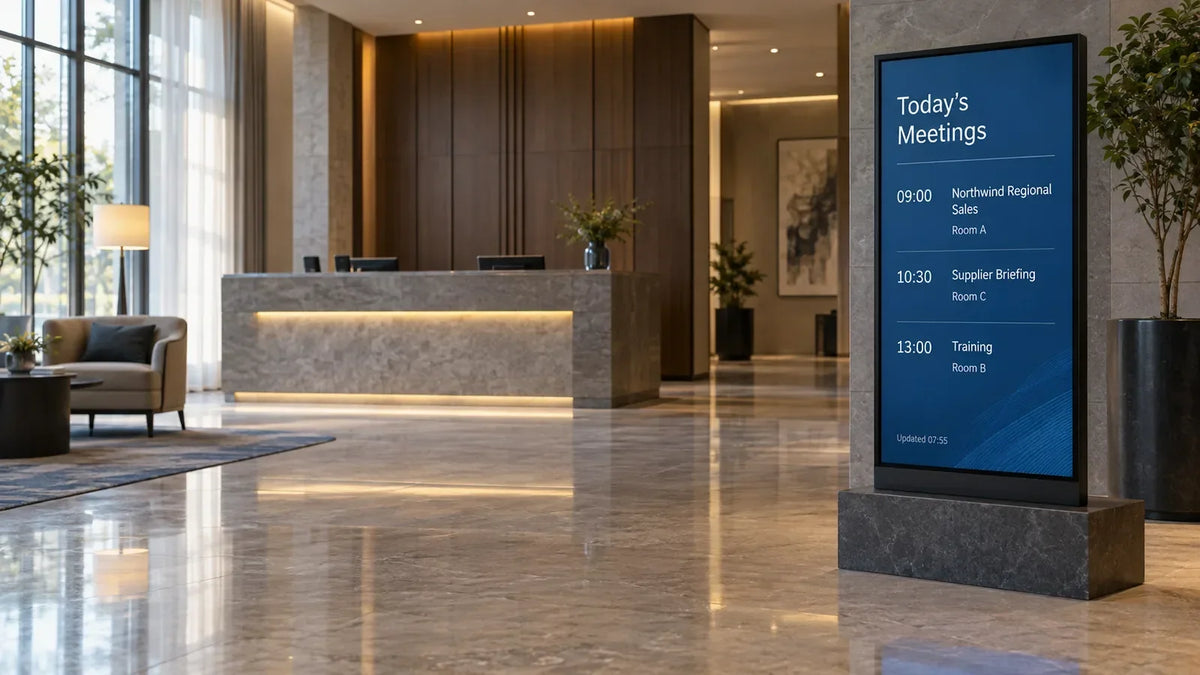
A conference moves to another room, but the lobby screen still points guests to the old one. The display may be working perfectly; the information handover failed. Hotel digital signage needs a defined update routine: which screen carries an item, which system supplies it, who confirms a change and when the item disappears. Set those rules before ordering the displays, particularly when several departments share event information.
The useful starting point is a guest's immediate question. Where is my event? Has its room changed? Is the restaurant open? Build the information flow around those answers.
Give each screen a clear job
A lobby display can show a short overview of current events and directions to the next step. Screens near meeting rooms should show the event assigned to that room, its time and any approved change notice. A dining entrance needs confirmed service times or an approved menu. Elevator-lobby content can offer general facilities information without carrying every detailed event listing.
Keep critical directions visible rather than burying them in a long promotional loop. A guest who needs a room name now has a different task from someone waiting at reception.
Yodeck's hospitality signage page gives a vendor example of hotel screen uses. Check the actual booking system, player and display setup before specifying an integration.

What happens when an event changes rooms?
Write the update process from the source to the guest-facing screen. The event team confirms the new room and effective time. The content operator updates the approved source or CMS. A site contact checks the affected physical screens and the route between them.
A room move may affect more than the lobby. Check the old room entrance, the new room entrance and any intermediate directional screen. Removing the old listing is part of the change, not an optional cleanup step.
Use this handover record during a pilot or an operational change:
| Item | Fill in before publishing the change |
|---|---|
| Event and approved public name | The wording allowed for guest-facing screens |
| Old and new location | Room names as they appear on physical signs |
| Effective period | Start, end and local time zone |
| Affected screen positions | Lobby, old room, new room and directional positions |
| Confirming role | Event operations or another agreed authority |
| Screen check | Checker, check time and result at each position |
| Removal/fallback | What appears when the event or notice expires; who checks it at shift handover |
Keep the record simple enough for a busy shift to use. An elaborate approval chain can be difficult to follow when a room changes shortly before guests arrive. Decide in advance which urgent changes a designated duty role can approve.
How do you keep yesterday's information off the screen?
Every temporary item needs an end condition. A meeting listing should stop when its approved display period ends. A restaurant-hours exception should expire after the affected date. If your CMS cannot expire the item automatically, the shift handover needs a removal task and a named role responsible for checking it.
A data connection also needs a fallback. A feed that stops returning updates should not leave a current-looking event list on screen indefinitely. Depending on the field and site process, a neutral message directing guests to reception may be more useful than an old room assignment.
Our live-data fallback guide covers field validity and failed feeds. The wayfinding planning guide addresses routes and directions. This article focuses on the people and change events that keep the displayed information current.

Who owns the information across shifts?
Assign ownership to a role, with cover for evenings and weekends. The event team may own the room assignment, reception may own the guest-facing check, and engineering may own a display fault. Put those distinctions into the operating instructions so a stale event is not automatically treated as broken hardware.
Keep a shared record of the last accepted change. Avoid passing essential updates only through an individual's messages. The next shift should be able to see what changed, which screens were checked and which tasks remain open.
Use only information appropriate for public display. Confirm the public event name and avoid copying attendee details, internal rates or private organizer notes from the source system. This is a content-minimization recommendation; the hotel should apply its own policies and applicable obligations.
What should you test before a rollout?
Use fictional events to test the normal day and its exceptions. Publish an event, move it, cancel it, let it expire and interrupt the data feed. Check the actual screen at each step, including after a player restart. Record which behavior is automated and which needs a person.
Then review readability from the guest's approach. Keep event names and room names prominent. Verify that a portrait layout remains readable on the chosen screen and that physical room labels use the same names as the digital content.
For floor-standing displays, include circulation space, cable access and the service route in the site plan. Wall-mounted positions need mounting and connection access confirmed for the model and site.
Send Gemdragon the hotel layout, planned screen roles, content sources and player/CMS arrangement. Those details help frame the display setup discussion around the hotel's operating routine.