Digital Totem Displays: Does “LED” Mean an LCD Backlight or LED Pixels?
Turn ambiguous digital totem offers into a technology identity card, then compare pixels, content, and the supplied system.
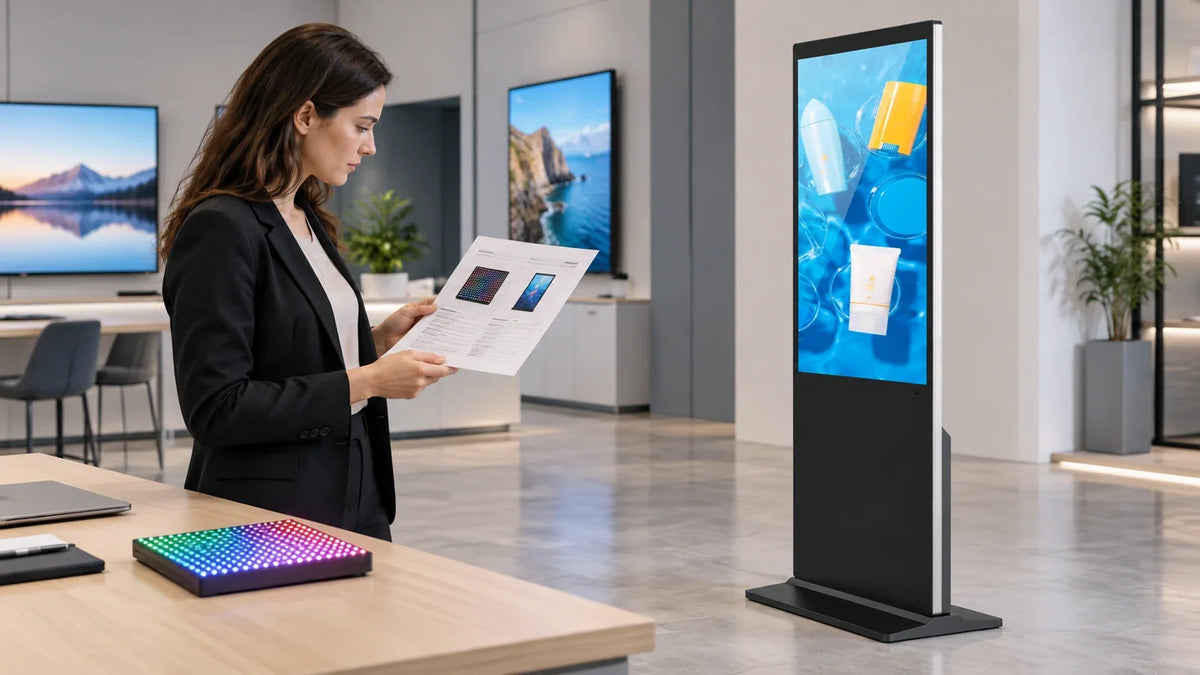
Cover: Concept illustration, not a customer installation or completed test. The LED tile is an unbranded demonstration prop, not a Gemdragon direct-view LED product.
Consider an illustrative quote comparison: two suppliers use the name “digital LED totem.” One proposes a complete LCD screen in a floor-standing cabinet. The other proposes a display whose visible pixels are LEDs. Comparing the prices before identifying that difference can send a purchasing team a long way in the wrong direction.
For a digital totem, LED can describe the light behind an LCD or the pixels that form the picture. Ask which architecture is being offered, then compare native pixel dimensions, the physical image area, the playback system, and the service scope. The word totem describes a standing format. It does not settle the display technology.
This guide helps a procurement manager turn an ambiguous offer into a comparable specification. It does not rank every LCD against every direct-view LED display.
The two meanings of LED
An LED-backlit LCD uses liquid crystals to control an illuminated image. A direct-view LED display uses light-emitting pixels to form the image directly. ViewSonic’s technical explanation describes that underlying distinction. It does not establish a universal winner on power, price, readability, or lifespan for two particular products.
Write the architecture in full on the comparison sheet: LED-backlit LCD or direct-view LED. If a supplier cannot identify it clearly, leave the offer unqualified until it can.

Do the same with poster, standee, and kiosk. These names can describe a form or application. They do not, by themselves, confirm touch input, a battery, a computer, or weather protection. A photo can help identify the cabinet. It cannot complete the system specification.
Turn the name into a technology identity card
Use the following card before requesting a revised quotation. Ask suppliers to fill in the same fields for the exact configuration, with supporting documents. An empty field is more useful than an assumption that quietly becomes part of the purchase order.
Scroll horizontally if needed to compare all columns.
| Field | What the supplier should identify | Why the answer changes the comparison |
|---|---|---|
| Image technology | LED-backlit LCD or direct-view LED | Establishes what actually forms the picture |
| Physical image area | Active width and height, with units | Separates visible image size from cabinet dimensions |
| Native image matrix | Horizontal and vertical physical pixels | Distinguishes native detail from an accepted input signal |
| Display construction | Complete panel/module or specified LED module arrangement | Defines the assembly being purchased |
| Signal and playback chain | Player, input, controller, scaling, and included software | Exposes equipment omitted from a headline price |
| Interaction | Non-touch or an identified touch configuration | Prevents “kiosk” from being mistaken for touchscreen capability |
| Installation scope | Base, mounting requirements, cable exits, and environment | Makes the standing installation comparable |
| Service boundary | Replaceable assembly, access method, and responsible party | Makes a repair promise specific enough to discuss |
Do not let a line such as “supports 4K” substitute for the native image matrix. It may describe the signal an input or player can accept. Ask where that signal is scaled and what pixel grid ultimately displays it.
Keep the identity card separate from a general feature checklist. The card establishes whether the offers are technically comparable. Brightness fit, content workflow, finish, and commercial terms come afterward.
Cross-check pixels against the content you will show
A useful check for a direct-view LED offer is the relationship between active width, pixel pitch, and pixel count. With dimensions in the same units:
Approximate horizontal pixels = active image width ÷ horizontal pixel pitch.
For an illustrative display with a 1,200 mm active width and 1.5 mm horizontal pitch, the calculation is 1,200 ÷ 1.5 = 800 pixels across. These are invented planning inputs, not Gemdragon specifications. The final count must come from the actual module arrangement and controller configuration; rounding a calculation does not create an orderable design.
For an LCD offer, request the panel’s native horizontal and vertical pixel dimensions directly. Record them in the installed orientation. Avoid comparing one supplier’s landscape input specification with another supplier’s portrait native matrix.

Now inspect the intended content at the actual viewing position. A large promotional image and a directory containing small tenant names place different demands on the display. Use representative text, logos, line work, and any required QR code. Keep content size, scaling, and viewing position in the comparison record.
If suppliers demonstrate different content, their demos answer different questions. A spectacular animation does not establish whether your small directory labels remain readable.
Ask for evidence that closes the comparison
Send each supplier the same short content package and describe the intended viewing conditions. Request a demonstration on the quoted setup, identifying the hardware, player, controller where applicable, and content settings.
Separate three results in the evaluation:
- Identity confirmed: the architecture and included equipment are documented.
- Task demonstrated: the proposed content is usable in the stated conditions.
- Commercial scope agreed: installation, service, software charges, and exclusions are written into the offer.
These are separate approvals. A good picture does not confirm what is included in the shipment. A complete equipment list does not prove the content works at the intended distance.
When a quote changes technology or native resolution during negotiation, reopen the relevant demonstration. Retaining the same cabinet color does not preserve the earlier result.
For tiled display projects, our LCD versus LED video wall comparison covers a different decision: choosing a wall system. For a standing unit, use the identity card here first, then the broader floor-standing procurement guide.
Specify the Gemdragon LCD configuration
Gemdragon’s Ultra-Thin Floor-Standing Digital Signage is an LCD product. Its name should not be read as a claim that it contains direct-view LED pixels. Request the native panel matrix, active image dimensions, player configuration, touch requirement, and installation drawing for the particular unit being quoted.

If your existing brief says only “LED digital totem,” resolve that phrase before comparing prices. Send the intended content, viewing position, size, quantity, destination country, and playback requirements. A clear identity card gives the supplier something concrete to answer—and gives the buyer a useful reason to accept or reject that answer.