Digital Signage Power Consumption: Measure the Setup You Will Use
Define the measurement boundary, record operating and sleep states, and calculate kWh for a signage setup. Includes a clearly labeled arithmetic example.
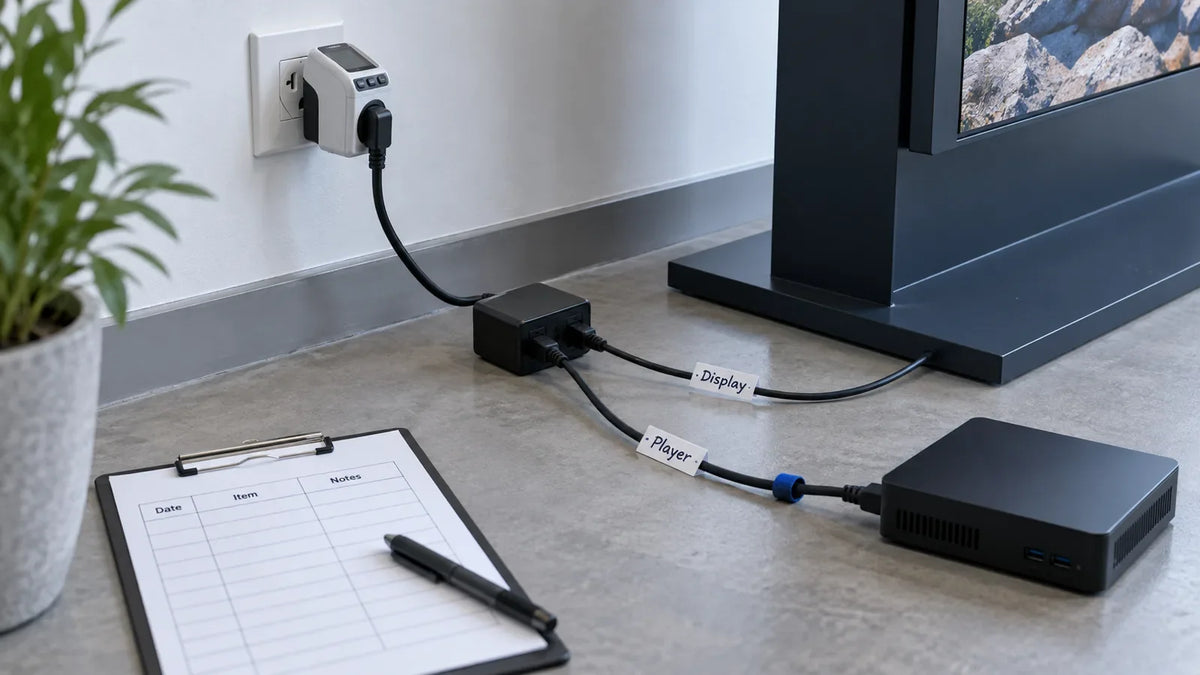
To estimate digital signage power consumption, measure the proposed setup in its actual operating states. The display, external player and other powered accessories may draw from different sockets. Brightness, content, operating hours and the chosen standby behavior affect what belongs in the estimate. A single specification-sheet value cannot describe a whole day unless you know what that value measures and how the system will run.
Start with a clear measurement boundary, then record power in each needed state. Use the resulting worksheet to compare setups on the same basis.
What is included in the measurement?
Write down whether the figure covers the display alone or the complete installation. If an external player has a separate supply, include it in the project estimate. Record any other dedicated powered accessory and avoid counting the same supply twice.
For a whole-setup measurement, use suitable metering equipment and the approved site procedure. For separate components, measure each supply on its own and add the needed results. Have the responsible technician handle any access or connection work; the worksheet is not an instruction to alter electrical wiring.
ENERGY STAR's display guidance distinguishes power in operating, sleep and off modes. It is a useful reminder that states need separate treatment. It does not establish certification or power performance for a Gemdragon model.

Which operating states should you record?
Use the content, brightness setting and player setup planned for the installation. Let the setup reach its normal running condition before recording a typical interval. Note the measurement interval and whether the instrument reports instantaneous watts, an average or accumulated energy.
| State | Setup to record | Measurement to collect |
|---|---|---|
| Normal playback | Content sample, brightness, player and accessories | Typical operating power or energy over the interval |
| Idle/fallback | The actual idle picture or fallback behavior | Observed draw in that condition |
| Display sleep | How sleep was triggered; player state | Display and player draw, separately where appropriate |
| Scheduled off period | Which components remain powered | Remaining draw for the off period |
A screen that is not showing a picture is not necessarily consuming no power. Likewise, switching off the display does not necessarily switch off an external player. Observe the actual schedule and confirm which parts change state.
If the proposed setup uses automatic brightness, record the lighting conditions and needed settings. A test at one brightness level should not be presented as the consumption under every installation condition.
Turn watts and hours into an energy estimate
For a simplified daily estimate, multiply each measured state's average power by the hours spent in that state, add the results and divide by 1,000:
Daily energy in kWh = Σ (state power in watts × hours in that state) ÷ 1,000.
The following is an arithmetic example only. The figures are invented to show the calculation; they are not measurements or specifications for Gemdragon products.
- A fictional complete setup averages 120 W for 12 operating hours: 1.44 kWh.
- It averages 8 W for the remaining 12 hours: 0.096 kWh.
- The estimated daily total is 1.536 kWh.
The fictional figures include the player in both states. Those two periods cover one full day and use the same measurement boundary. If the player was excluded from the 120 W measurement, it must be added separately for the hours it runs. Do not combine display-only operating power with whole-setup standby power without making the difference explicit.
Annual estimates should reflect the actual operating calendar, including different weekend hours and planned closures. For a cost estimate, apply the site's applicable tariff and charges. This article does not assume one tariff for every market.
How can you compare two quoted setups?
Ask both suppliers what each quoted power value represents: typical use, maximum input, a measured average or another condition. Request the test settings and the included components. A maximum input rating and a measured average under a sample playlist serve different purposes.
Then evaluate the proposed setups under the same schedule and content. Keep a worksheet with the model, brightness setting, player, measurement boundary, state hours and results. If one setup has a different standby policy, show that policy rather than hiding it behind one headline wattage.

Our project cost guide covers the wider purchase and operating budget. This article supplies the measurement boundary and calculation worksheet for the energy part. The RFP template helps request those conditions consistently across quotations.
What should you confirm before ordering?
Ask for model-specific information and verify the planned control behavior with the player/CMS arrangement. Which component schedules sleep? What wakes the display? Does playback resume correctly? A lower measured draw during sleep is only useful if the setup returns to the required picture when the site opens.
Test the opening and closing cycle during the pilot and keep its result alongside the energy worksheet. Repeat the needed measurements if brightness, operating hours or powered components change.
For Gemdragon's indoor display range, send the display format, operating schedule, installation conditions and proposed player arrangement. Request model-specific power information as part of the quotation and confirm the measurement assumptions before comparing options.