Digital signage for airports: separate flight information from advertising
Plan airport screens by flight information, wayfinding and advertising roles. Define data freshness, fallback behavior and acceptance before buying.

Airport digital signage should be planned by information role. A flight information display system (FIDS) needs an authoritative operational source and a defined response when its data becomes stale. A retail advertisement needs a campaign schedule and content owner. A wayfinding screen needs to agree with the terminal's actual routes. Specify those responsibilities before choosing displays, so a failed feed or an advertising update cannot silently change what passengers rely on.
Which airport screens need operational data?
Start with a screen register organized by terminal zone and purpose. Include check-in, departures, gates, baggage reclaim, transfer routes, lounges, and commercial areas where relevant. Mark each screen as operational, directional, commercial, or mixed-use. The distinction determines who may publish and what should remain visible during a disruption.
Amadeus describes its Digital Display System as handling flight, gate, baggage-belt, destination, and service content alongside advertising and travel notices. This is a useful example of the different content classes an airport may manage. It is not evidence that a Gemdragon screen has been approved for that platform or for an airport's operational network.
| Screen role | Source or owner to identify | Decision before procurement |
|---|---|---|
| Departures and arrivals | Airport-approved operational system | Which fields, timestamps, status codes, and languages must appear? |
| Gate or counter assignment | Responsible airport or airline system | Who can change the assignment, and how is that change verified? |
| Baggage reclaim | Authorized baggage or operational source | What happens when the assigned belt changes or the source is unavailable? |
| Terminal wayfinding | Airport facilities and wayfinding owner | Which route and destination names are authoritative? |
| Retail or lounge promotion | Commercial content owner | Which audience, zone, time window, and approval rules apply? |
| Mixed-use location | Both operational and commercial owners | Which content takes priority, and can one owner accidentally obscure the other? |
A commercial display can be part of one of these systems, but the panel is not the operational system. Keep the display, player, software, data connection, and airport acceptance responsibilities separate in the brief.

What should happen when flight information stops updating?
An unchanged timetable can look healthy even when the source has stopped. Agree on how the system distinguishes a valid unchanged record from a missing or stale update. Record the source timestamp, the player's last successful update, and the age threshold used for the public layout. Those values have different meanings.
The airport's operational owner should approve the fallback for each content class. A retail screen may continue a cached campaign. A gate screen may require a clearly approved unavailable state or an alternative information route. Do not reuse the same offline rule for both simply because they share a content management system (CMS).
Also define recovery. When the feed returns, should the screen refresh immediately, wait for validation, or require an operator action? What happens if the returning data contains an old assignment? Test the transition rather than checking only that a green “connected” icon returns.
Use the live-data and fallback guide to structure the data handoff. Airport-specific thresholds and public messages still belong to the airport and its appointed system provider.
Can advertising share space with flight information?
It can be planned that way, but the available advertising rectangle should be the result of an approved information layout. Do not begin with a full-screen campaign and shrink the flight information into whatever space remains.
Specify which fields remain persistent, whether an advertisement may use motion, how language changes behave, and what happens when an operational notice takes priority. A schedule change must not leave a campaign covering the gate identifier. Make interruption and restoration part of the demonstration.
Keep commercial access scoped to its assigned areas. A concession operator may need to update a promotion without receiving permission to edit terminal directions or operational templates. The same separation helps the support team identify whether a problem is an artwork error, a data issue, or a device failure.

How do you choose locations and readable layouts?
Inspect the terminal from the passenger's approach path, not just from directly in front of the wall. Check whether the screen is visible before the point where the traveler must turn or choose a queue. A useful screen placed after that decision arrives too late.
Test from realistic positions: behind a group, beside a structural column, from a seated waiting area, and while approaching with luggage. Review glazing and reflections at the difficult time of day. Use the proposed layout with its longest destination names and actual language set. A sparse demonstration with short words can hide a layout problem.
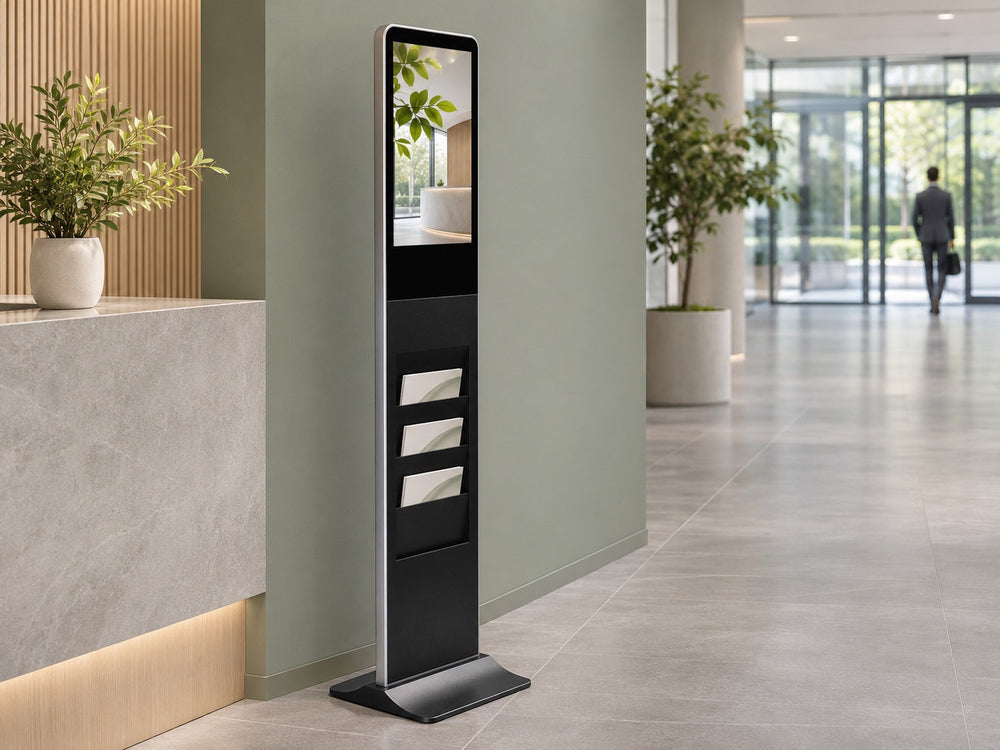
Match the mounting to the site and service route. Wall displays can suit waiting areas and commercial spaces when the angle works. Floor-standing displays may suit selected welcome or information locations where the airport approves the footprint. Ceiling installations require their own structural and service planning; an indoor wall-display photo does not establish suitability for suspension.

Screen size is one input. Character height, density, contrast, viewing distance, and the amount of information shown at once affect whether someone can find a row. For that decision, use the display-size and viewing-distance guide with a real layout sample rather than choosing by diagonal size alone.
What should IT and maintenance teams agree on?
Give each display and player a location identifier that matches the screen register. Specify the network owner, permitted connections, player provisioning process, access rights, update window, and escalation route. Do not put an internet-connected advertising player on an operational network without the airport's approved architecture.
Define what monitoring actually proves. A reachable player may still feed a black display. A display reporting power on may still show the wrong input. Decide which states the proposed combination can observe, and which need a physical check. Avoid accepting “remote monitoring” as a complete fault-detection specification.
Maintenance planning also needs physical details: service clearance, access equipment, replacement route, cable identification, and a way to return the correct configuration after a swap. A unit located above a busy passenger path creates a different service task from one in a controlled lounge. Include access restrictions and approved work windows in the installation quotation.
What belongs in an airport signage acceptance test?
Build a test script around changes that can confuse a passenger. Use authorized sample records in an agreed test environment. This is a proposed test method, not a report of Gemdragon testing on an airport system.
- Change a flight, gate, counter, or belt assignment in the authorized source and verify the correct screens update.
- Include long destination names, the full language set, and canceled or changed records.
- Interrupt the data source and verify the agreed stale-data state on each screen role.
- Restore the connection and check that old assignments do not reappear as current.
- Trigger an approved priority notice, then verify the normal layout returns correctly.
- Restart a player and a display separately; confirm the intended input and application return.
- Replace a sample device using the documented process and confirm its location assignment.
Record the configuration and software versions beside the result. A successful demonstration on a different player or network does not settle the proposed configuration.
For the budget, separate displays, players or controllers, software, operational-data integration, content setup, network work, mounts, installation access, spares, and support. Assign an owner to the interface between each package. That interface is where “included” can become a dispute.
Frequently asked questions
Is airport digital signage the same as a FIDS?
FIDS is specifically concerned with flight information. Airport signage also includes wayfinding, commercial messaging, lounge information, and other content. These roles can share infrastructure while needing different data and publishing controls.
Can a standard CMS display flight data?
That depends on the approved data interface, player, layout behavior, security architecture, and airport acceptance requirements. Displaying a sample webpage does not establish operational integration.
Should flight information continue from cache during an outage?
The airport's operational owner must define that behavior. A cached advertisement and a cached gate assignment carry different consequences. Specify data age, the public message, and the recovery process by screen role.
Can the same display model serve every terminal location?
Only after the physical and technical requirements have been checked for each location. Glazing, viewing angle, mounting, operating schedule, service access, and required documents may differ.
Prepare a terminal display schedule
Send Gemdragon a location schedule with screen quantities, orientation, mounting method, installation country, and proposed player or CMS. Identify operational and commercial roles separately, and list the configuration and document checks your project requires. Data-platform integration and airport approval should remain explicit project responsibilities.
Discuss your airport display schedule
Find related commercial display resources.
Editorial scope: Original display procurement and coordination guidance. It is not an airport customer case, a certified FIDS integration, or a replacement for airport operational, safety, security, or wayfinding approval. Scene illustrations depict proposed locations rather than actual installations. Cover: photo-style AI scene illustration, not an actual customer installation.