Outdoor Digital Totem Connectivity: Test With the Cabinet Closed
Test outdoor kiosk connectivity at the final position with the cabinet closed. Record application delivery, signal context, and approved recovery tests.

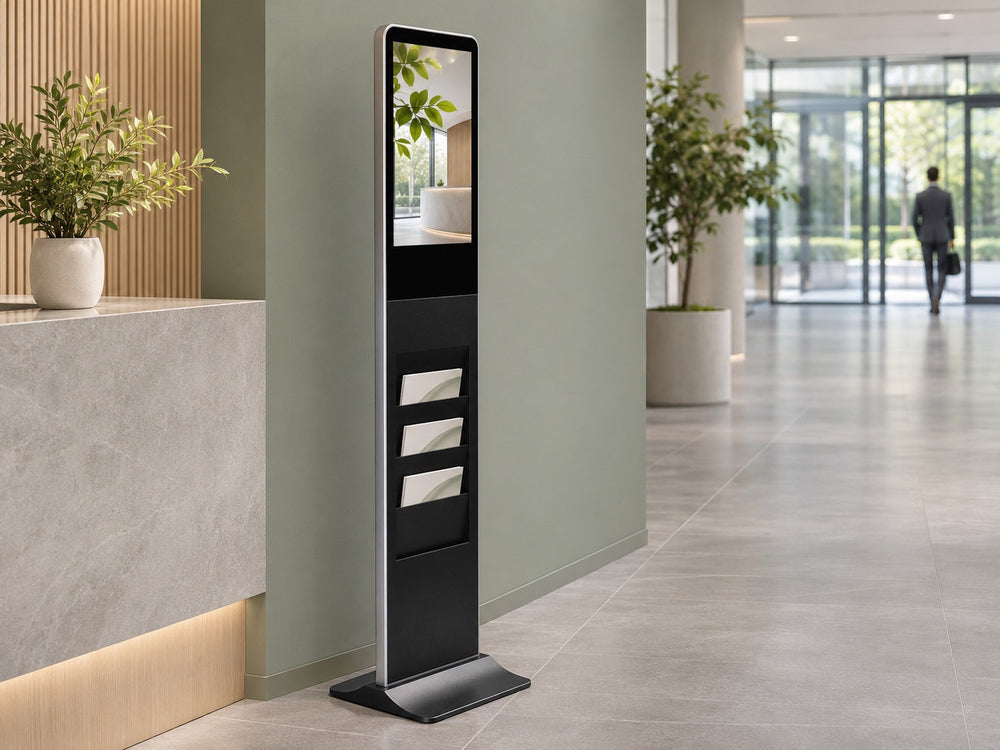
Cover: Industry setting reference; not identified as a Gemdragon installation.
Test an outdoor digital totem’s cellular connection at its final position with the cabinet fully closed and the approved antenna arrangement in place. A successful bench test establishes useful starting information, but not the installed link’s performance.
For integrators and IT teams, the acceptance result should include both delivery of representative content and recovery from agreed interruptions. Signal bars alone cannot show either result. The cabinet door belongs in the test conditions, not in the footnotes.

What changes when the door closes
Three aspects deserve checking between a bench trial and the installed arrangement.
The enclosure relationship may change. Ubiquiti’s cellular guidance recommends: avoid placing the antenna near metal objects or inside enclosures that may block signal, and consider an external or high-gain antenna when the signal is weak (Ubiquiti Help Center). Confirm where the antenna actually sits; do not assume it is internal or that an external antenna is included.
The hardware arrangement may change. Record the approved antenna, lead, connectors, and routing. Have the installer review any differences from the tested arrangement rather than assigning every slow transfer to signal strength.
The position changed. Ground level next to the truck is not the installed height, and it is not the installed orientation. Buildings, trees, a parked trailer, and the steel body of a delivery van all sit between the antenna and the tower in ways that a shop floor never does. Teltonika lists physical barriers, weather, competing signals, and tower load among the factors that move measured values, and notes that results vary by modem, carrier, and network environment (Teltonika Networks wiki).
One consequence deserves stating plainly: a link verified on the bench tells you the radio works. It does not by itself establish the final installed link.
Check the application as well as signal metrics
Use the radio’s supported diagnostics, alongside an application test. Teltonika’s signal guidance distinguishes signal strength and quality, notes that values vary with the modem, carrier, and environment, and cautions that adequate strength does not guarantee throughput. Its tables concern its documented modules, not acceptance thresholds for every totem.
Where available, record RSRP, RSRQ, and SINR with their units and device context. Metrics support diagnosis; a representative content transfer shows whether the agreed task succeeded under the recorded conditions.
The closed-cabinet test record
Run this at the final position, at the final orientation, with the door closed. An authorized installer may also compare an approved open-state observation with the closed state in a close time window. Repeating observations can help separate enclosure-related changes from network variation; the final closed state is the acceptance condition.
| Field | What to record | Why it matters |
|---|---|---|
| Site and unit identifier | The asset tag used on your register | An acceptance record that cannot be matched to a unit is a story |
| Date, time, weather | Including whether it rained | Signal changes with conditions, and the record should say so |
| Carrier, plan, band | Carrier name, SIM plan, band in use | Band and plan conditions help interpret a slow-link report |
| Antenna type and location | External or internal, height, orientation | The hardware arrangement needed to interpret later tests |
| RSRP | Value in dBm, open and closed | Strength at the reference signal |
| RSRQ | Value in dB, open and closed | Reference-signal quality for investigation |
| SINR | Value in dB, open and closed | Signal-to-interference-plus-noise context; not a throughput guarantee |
| Payload test | A real download or a content push, timed | Evidence for the agreed content-delivery task |
| Recovery behavior | What happens after a reboot, and how long reconnection takes | A separate acceptance condition to record |
| Photograph | Meter or dashboard screenshot, plus the closed cabinet | Evidence that survives a change of staff |
If the closed-state application test fails, investigate one variable at a time with the network and installation teams. An antenna change, carrier change, or revised approved arrangement needs another test. Do not drill the enclosure or add hardware without approval of the resulting assembly.

Prove recovery, not just connection
Agree representative interruption scenarios with the installer and operator, then use the documented safe controls to perform them. Examples include a permitted player restart and a controlled loss and restoration of the network service. Do not remove live antenna leads or reseat a SIM as an improvised test.
Record how long the agreed content task takes to recover, whether local attendance was needed, and what remained visible while disconnected. Offline playback, queued synchronization, remote restart, and alarms are separate capabilities to confirm on the exact player, software, account, and firmware. Observe a later scheduled update where it is part of the operating requirement.
Be careful about the claims this produces. A successful recovery test proves that this unit, with this carrier, this plan, and this antenna, recovered from a specific interruption on a specific day. It does not prove unattended recovery across carrier outages. If your connectivity depends on a management platform, that dependency needs its own test on the actual account and firmware.
The carrier side is part of the installation
Coverage maps are a starting point. A carrier coverage indicator is a modeled prediction at a resolution that does not know about your building, your cabinet, or the truck parked in front of it. Check provider information, then verify the actual installation and application task.
Practical items to settle before the truck arrives:
- Who owns the SIM and the data plan, and who pays the monthly charge.
- What the plan permits — data volume, throttling thresholds, and whether the account allows the device to be used in a fixed installation.
- Which band the site actually needs, and whether your module supports it.
- Whether the access point name and credentials are documented somewhere other than one technician's phone.
- Who is authorized to change any of the above after handover.
What our options are, and what they are not
For outdoor floor-standing units we offer several network paths, including Wi-Fi, Ethernet, and compatible 4G hardware with a suitable SIM and data service. Those are configuration choices within an order, not default inclusions, and they need to match the actual player and enclosure. We are not claiming a built-in router, and we are not claiming that any particular management platform has been device-tested to reboot, diagnose, or self-heal your unit remotely. If a project depends on those capabilities, they should be demonstrated on the exact configuration before acceptance.

FAQ
Can we test the link before the unit is installed? You can test the radio, and you should. The result does not transfer. Test again at the final position with the door closed, and record both results so the difference is visible rather than remembered.
Does a different antenna always solve the problem?
No. Congestion, plan restrictions, hardware compatibility, and application behavior can also matter. Review the cause before changing the approved arrangement and repeat the application test afterward.
What if cellular service is unusable at the final position?
Discuss a different supported network path and its installation requirements. Evaluate cost and service responsibility for the actual site rather than assuming another antenna will resolve it.
Where should SIM and account details be kept?
Use the organization’s controlled asset and access records. Record ownership and support contacts without placing credentials or SIM identifiers in public photographs or blog examples.
If you are specifying an outdoor totem with cellular connectivity and want the enclosure, antenna path, and player options confirmed against your site before the order, send Gemdragon the location, intended carrier, and content-delivery requirement. Discuss the supported network arrangement for outdoor floor-standing signage before acceptance requirements are fixed.
Related reading: an IT handoff checklist for signage networks and testing offline playback before a rollout.