LCD Video Wall vs. Projector: Compare the Room You Will Actually Use
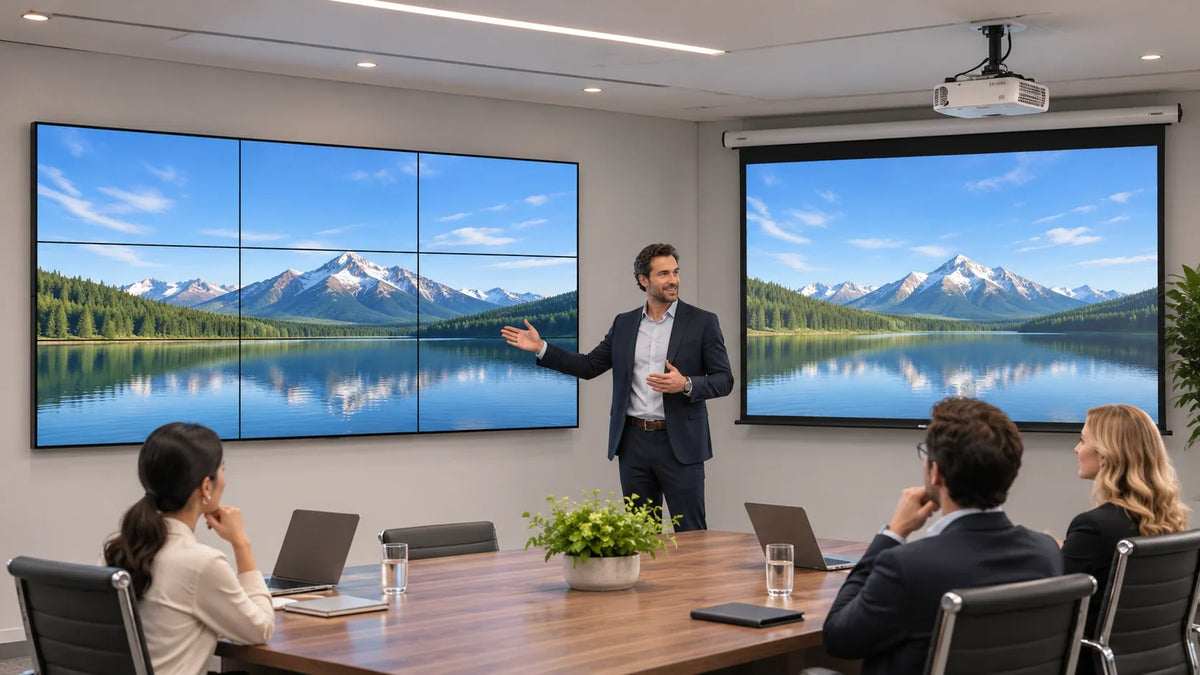
An LCD video wall and a projector can both create a large shared image, but they place different demands on the room. Compare the complete projection system—projector, lens, screen, mounting, and light conditions—with the complete LCD wall, including its panel grid, signal processing, structure, and service access. Then ask people to perform the same viewing task on both. A product demo in a different room answers a different question.
For an AV consultant or facilities buyer, the useful decision is rarely “Which technology wins?” It is which proposed system lets the intended audience read and use the content while the room keeps doing its other jobs. The lights may need to stay on. People may walk to the front. A dashboard may contain numbers that cannot disappear into a seam.
Write a room brief both suppliers must answer
Start with a marked floor plan and an elevation of the image area. Identify the nearest and farthest critical seats, off-axis positions, windows, working lights, presenter positions, and anything that may enter the projection path. Record the image width and height the task requires, rather than comparing a projector's maximum diagonal with a wall assembled from an arbitrary number of panels.
Use real, non-sensitive sample content. A slide with a large headline is a generous test; a spreadsheet column or a small map label is less forgiving. Include the smallest information people must read and the source layout they will normally receive. A beautiful demo reel has never had to find an overdue shipment in column Q.
Ask each supplier to describe the system used for the demonstration. For projection, that includes the lens, throw arrangement, screen material, image size, and operating mode. For LCD, record the panel arrangement, visible grid, input signal, controller layout, and picture settings. The LCD video wall buying guide covers those wall components in more detail.

Compare visible information under normal lighting
Do not turn the room into a theater for one proposal if everyday meetings require a lit workspace. Test the intended normal condition and the difficult condition the room owner actually expects. Keep the source, image area, seats, and viewing task as comparable as the two systems allow. Record material differences rather than quietly correcting them out of the comparison.
Projection-screen selection belongs in this test. Epson's business projection guidance discusses ambient-light-rejecting screens and different mounting arrangements. That is a reason to evaluate a properly specified projection system, rather than assuming every projector needs a dark room or that any ALR screen will work with any lens and seating arrangement.
LCD is not exempt from room lighting. Inspect reflections, off-axis readability, and the comfort of the selected brightness. Compare the useful picture at the seats, not just a brightness number on a quotation. Projector lumens and display luminance in nits describe different things; they are not interchangeable scores.
Use a simple observation sheet:
Scroll horizontally to see all columns.
| Viewing task | Condition to preserve | What the reviewer records |
|---|---|---|
| Read a critical table value | Same source file and assigned seat | Which value can be read reliably, without standing up |
| Follow a diagram or map | Intended image size and room lighting | Lost detail, reflections, seams, or geometry problems |
| Present at the front | Normal presenter positions | Obstruction or shadow behavior on the proposed projection path |
| Watch a live source | Intended signal path and layout | Visible delay or motion issues that affect the task |
| Work through a long meeting | Normal operating brightness | Whether the room remains usable for reading, writing, and discussion |
These are proposed comparison tasks, not measured Gemdragon results. Agree the acceptance criteria with the people who will use the room before the demonstration.
Decide what must remain uninterrupted
A tiled LCD wall has physical panel boundaries. They may be acceptable for separate information windows and distracting for a continuous image. Bezel compensation changes image mapping; it does not put pixels inside the frames. Keep essential text or data out of interrupted areas where the task demands complete visibility.
Projection can provide an image without an LCD panel grid, but its installation still needs a workable light path, image geometry, and screen location. If the design uses several projectors, ask separately about blending, alignment, processing, and maintenance; a single-projector demonstration does not represent that system.
For a room with several independent sources, inspect the proposed window layout on each system. “Can show four sources” leaves important questions unanswered: how large is each source, which details remain readable, and what happens when a presenter changes their laptop resolution? A larger image alone does not repair an unsuitable layout.

Put the maintenance route into the comparison
Ask how the system will be accessed after the furniture and finishes are complete. The LCD proposal needs a credible center-panel service plan for reaching the array, handling cables, and restoring alignment. The projection proposal needs access to the projector and any other serviceable equipment under its own instructions. Do not assume either option can be maintained from the floor.
Request an installed scope for each proposal:
- Image equipment, screen or panels, processing, and source connections.
- Mounting, structural review, cable routes, power, and required building work.
- Commissioning with the agreed room tasks and source layouts.
- Operator controls, configuration records, training, and support responsibilities.
- Proposed service parts, replacement access, and any ongoing licenses or maintenance commitments.
Compare cost over the same stated period and operating schedule. Use the proposed manufacturers' actual service requirements and commercial terms. Generic claims that one technology is always cheaper to maintain are not a project estimate. The video wall cost guide helps keep the LCD side of that quotation complete.

When does each option deserve the next demonstration?
Keep projection in the comparison when the project values a large image without an LCD grid and the proposed screen, light path, room conditions, and service arrangement can support the task. Keep a tiled LCD wall in the comparison when its visible grid is acceptable and the complete wall can deliver the required information with a practical structure and maintenance plan.
If neither demonstration makes the smallest critical information usable, revise the content layout or room brief before increasing the equipment budget. Choosing between two unreadable proposals is an unusually expensive way to postpone a design decision.
Is a video wall automatically better in a bright meeting room?
Evaluate the actual room and proposals. LCD reflections and viewing conditions matter, while a correctly specified projection screen and lens can change the projection result. Compare the same tasks under the intended lighting.
Does a projector remove the need for a video wall controller?
Processing depends on the sources, layouts, and required functions. A projector does not by itself establish multi-source windowing, and LCD panels do not establish a complete controller system either.
What should we send before requesting an LCD alternative?
Send the room dimensions, image area, seating plan, lighting conditions, operating schedule, source list, representative content, and service constraints. Identify where a panel boundary would be unacceptable.
Review the existing Gemdragon LCD video wall range, then discuss the room brief with Gemdragon. The useful starting point is the viewing task and proposed configuration, not a promise that one display technology wins every room.