Digital Signage Decommissioning: Media, Access, and Handover
Choose the exit path, inventory storage and service access, and complete a paired release record before a floor-standing display changes hands.
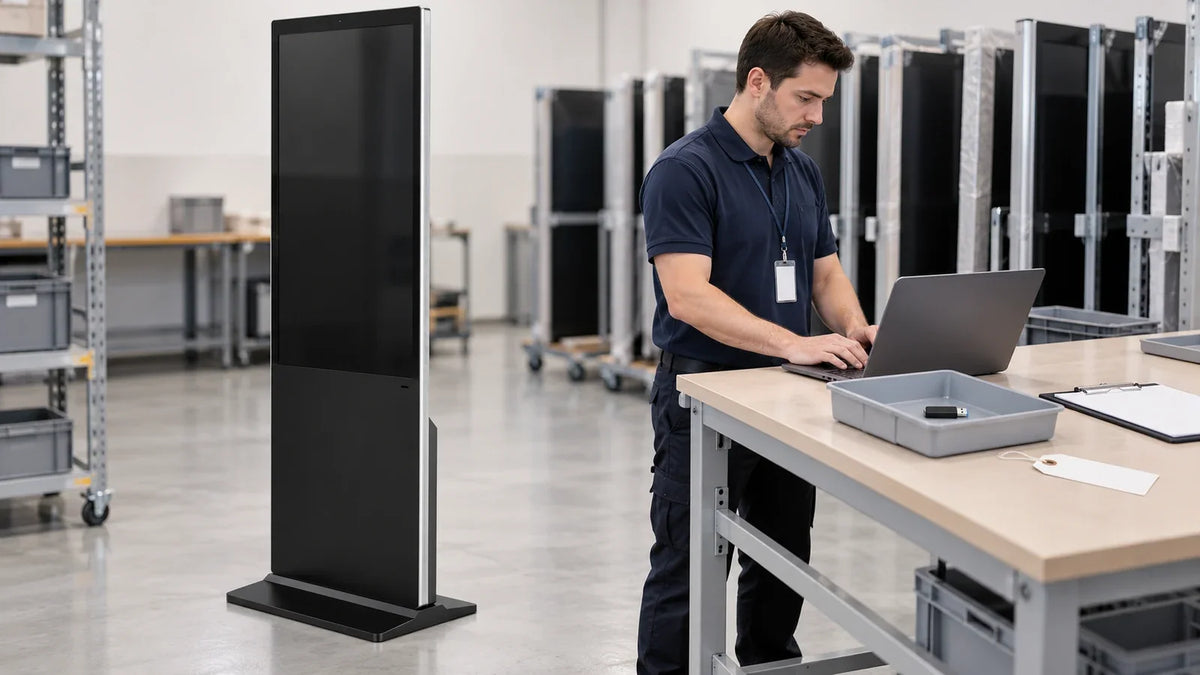
Cover: Concept illustration, not a customer installation or completed test. The staging scene reports no completed sanitization or actual customer return.
Before a digital signage unit leaves the site, decide where it is going and list its storage and service accounts. Then confirm the required work and approve the handover. Deleting a playlist or seeing a blank screen does not prove that stored data and remote access have been handled.
Use this digital signage decommissioning checklist for a repair return, internal move, resale, lease return, or recycling transfer. Choose the work to match the installed system, the data, the destination, and the owner's policy. Make that decision before deleting information you may need for the return or rebuild.
Decide where the unit is going
Name the destination and the person who can approve release. Before any approved reset or removal, save the fault evidence and configuration records that must be kept. Store those records securely.
Scroll horizontally if needed to compare all columns.
| Exit path | Decision before release | Information to retain securely | Acceptance evidence |
|---|---|---|---|
| Repair or replacement return | Agree how media and access will be handled, including a unit that cannot start | Fault evidence, unit identity, required configuration, and return authorization | Approved return arrangements and any unresolved media restrictions |
| Internal redeployment | Decide what old-site content and access must change and what the rebuild needs | Asset history and approved configuration information | Reassignment and receiving-site acceptance record |
| Resale or lease return | Reconcile the owner's data policy with the transfer or return agreement | Required asset and transaction records | Approved media treatment, access disposition, and custody record |
| Recycling or destruction | Select an approved route for the equipment and its data-bearing media | Asset/media identities and required disposition records | Applicable collection or destruction evidence, reviewed under policy |
A repair return and a sale need different plans. Where the unit goes is only part of the decision; the data owner's policy also applies. Do not erase diagnostic information before agreeing what the service team needs. Equally, do not send sensitive data simply because a return authorization exists.
Inventory storage and access together
Check the installed setup rather than relying on the cabinet's product name. Identify each item below if present, including parts outside the display itself.
Scroll horizontally if needed to compare all columns.
| Item to check | Possible data or access material | Question to resolve |
|---|---|---|
| Embedded or separate player | Content, cached pages, logs, settings, credentials, or device identity | Which storage locations does the proposed operation cover? |
| USB drive, memory card, or other removable media | Content, configuration, or access material | Who owns it, and will it be retained, treated, or transferred? |
| CMS library and device record | Media, pairing, permissions, and service history | What must be retained, reassigned, unpaired, or retired? |
| Network and remote-support setup | Accounts, connection details, certificates, or enrollment | Which access paths must be removed or changed? |
| Asset and service records | Identity, configuration, fault history, and evidence | What must remain in the owner's secure records? |

Do not assume that every Gemdragon unit has all the items in this inventory. Check accessible ports and removable items using the approved handling procedure. Only authorized service personnel should open the unit, following its instructions.
Handle media sanitization and account access separately
Confirm the media operation and its outcome
Media sanitization addresses stored information. NIST SP 800-88 Rev. 2 describes a process that makes access to specified data infeasible at a defined level of effort. There are two separate checks. First, check whether the operation finished successfully. Then decide whether the result is adequate for the data and planned use. See Sections 4.5.1–4.5.2.
Ask what the approved reset or sanitization operation covers on the exact storage, system, and version. Record the result, errors, and any storage it did not cover. A factory-reset message alone does not prove that the required data treatment succeeded.
If the unit cannot start, record that limitation. Keep it under controlled custody while the data owner and authorized service team agree on a handling route. A dark screen is not a reason to mark the media work complete. Do not improvise a procedure to remove or destroy internal media.
Resolve the device's remaining access
The responsible platform administrator should check the actions that apply to the installed setup:
- Reassign or retire the device record while keeping history required by policy.
- Remove or change pairing, enrollment, and remote-support permissions as appropriate.
- If credentials are shared, follow the owner's change process. Check how a change will affect units still in service.
- Record the final state and where the administrator kept the evidence.
A device disappearing from a list is not, by itself, proof that every access path was revoked. Confirm the relevant permissions and enrollment states using the platform's documented controls. Likewise, removing cloud pairing does not erase local files.

The player-access handover guide covers ownership and controls during deployment. Use the project's actual handover to find the relevant settings and administrators. This checklist covers the changes needed when the unit leaves that deployment.
Complete one paired release record
Record the media work and service access in separate columns. That makes unfinished work easier to spot.
Scroll horizontally if needed to compare all columns.
| Field | Local media record | Service access record |
|---|---|---|
| Identity | Unit and identified storage/media | Device and platform identifiers |
| Scope | Data locations covered and exclusions | Accounts, pairing, enrollment, and support paths reviewed |
| Action | Approved operation, tool/system version, and date | Approved platform action and date |
| Performed by | Responsible person and role | Responsible administrator and role |
| Outcome | Completion result, errors, and review decision | Confirmed resulting permissions and device state |
| Evidence | Operation result or approved service record reference | Export, change record, or ticket reference |
| Removable items | Items found and their disposition | Any associated access changes |
| Open items | Untreated or inaccessible media and assigned next action | Unresolved access and assigned next action |
| Release approval | Decision under the owner's policy | Decision under the owner's policy |
Before handover, match the unit to the record. Check removable media and accessories, and record who receives them. Keep required evidence in the owner's controlled records; do not put passwords or sensitive content in a routine shipping packet.
If a required item is still open, do not mark the unit ready for release. Ask the responsible owner to approve and record the next steps. A signed delivery receipt records a transfer; it does not prove successful data sanitization.
Make the next deployment easier to retire
Before the next purchase, ask four questions:
- Who owns the device record?
- Can access for one device be changed without disrupting others?
- Where is content stored?
- Which reset and configuration-export operations are documented?
Get answers for the selected system. Do not assume that it supports every function on the list.
Before ordering Gemdragon Ultra-Thin Floor-Standing Digital Signage, ask the supplier to document the selected setup. The handover should name the player, operating system, publishing service, and storage. It should also state who manages service access. A list of system options does not confirm what is installed or how its reset works.

This is a release checklist. It does not give an erasure command for a specific device or decide which records your organization must retain. Follow the owner's requirements and the selected platform's documentation. If evidence is missing, record the gap rather than promising a successful wipe.
For broader equipment and ownership decisions, use the floor-standing digital signage buying guide. To scope a new deployment, share its application, destination country, system requirements, and handover needs—without passwords, recovery codes, or private media.