Digital Signage Security: Hand Over Access to the Player
Record enabled interfaces, approved networks, account ownership and temporary maintenance closure. A practical access handover for signage projects.
Before a signage rollout is handed over, the project team should know which management interfaces are enabled, which networks can reach them, who owns the credentials and how temporary maintenance access is closed. These questions concern access to the player and its controls. They are different from deciding who can edit a playlist, and they need their own record.
A useful handover gives the client's IT team an accurate inventory of the installed setup and a way to verify its planned access boundary. It does not depend on a generic claim that the system is secure.
What belongs in the access inventory?
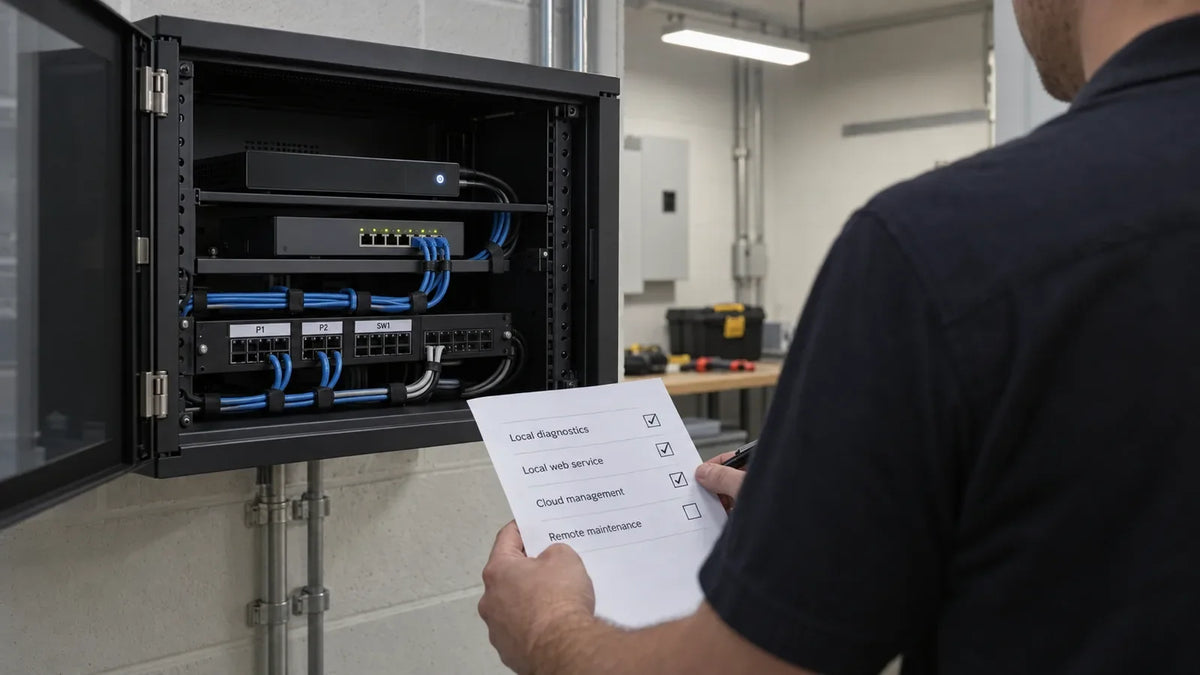
List the actual interfaces used by the chosen player and software. Depending on the platform, these may include local diagnostics, a local web service, cloud management and a separate remote-support tool. Do not assume every platform exposes all four, or that two similarly named interfaces behave the same way.
BrightSign's Diagnostic Web Server documentation describes local and remote diagnostic arrangements for that platform. Its player security documentation discusses setup and security considerations. Use the current documentation for the installed version rather than copying defaults from another project.
The vendor example helps name questions to ask; it does not establish BrightSign support or any management capability for a particular Gemdragon display setup.

Which networks should be able to reach the controls?
For each interface, record whether access is needed from the site's local network, a client management network or an approved remote service. Ask IT to define the boundary and verify it in the installed setup.
A service needed for a local technician does not automatically need to be reachable from the public internet. Equally, a cloud-managed player may have local interfaces that need a separate review. Keep those checks distinct so a working cloud connection is not treated as proof that local access has been restricted.
Use this worksheet during handover. It is a project checklist, not a penetration-test result.
| Access surface | Record in the handover | Verification evidence |
|---|---|---|
| Local diagnostics | Enabled/disabled state, approved use and installed version | Result from the planned management network |
| Local web service | Whether it exists, what it exposes and the allowed network | Authorized reachability check and authentication result |
| Cloud management | Client account owner and assigned devices | Client confirms ownership and planned access |
| Remote maintenance | Tool, authorized operator, scope and duration | Opening record and closure check |
Ask the client’s IT team to run the authorized checks. Do not scan systems outside the project scope. When a required check cannot be completed, record it as open with an owner rather than marking the installation accepted by default.
Who should own the credentials?
The client should know which accounts and credentials exist and how they are managed under its policy. Avoid leaving access dependent on a contractor's personal account or an undocumented password shared across projects.
Record the account owner and the approved process for issuing, changing and revoking access. Keep passwords and recovery codes in the client's approved credential system, not in a public site pack or ordinary support ticket. Document the procedure without copying secrets into the handover report.
Where the chosen platform supports individual accounts and limited permissions, ask how those controls will be configured for the project. Do not promise that a feature exists before checking the product and subscription involved. The multi-location content control guide covers who can publish content; this checklist covers who can reach device management controls.
How do you close a maintenance window?
Before remote work begins, record the operator, purpose, authorized interface, expected duration and approver. Agree what can be changed and how the team will restore the planned access state afterward.
Closing the window needs evidence. The operator records how they ended the temporary session or access. The client or responsible support role verifies that the planned restriction is back in place. Depending on the tool, this may mean confirming that a session ended, temporary access expired, or a allowed connection no longer succeeds.

A ticket marked “fixed” does not, by itself, demonstrate that maintenance access was closed. Keep the closure result in the ticket alongside the device changes and restored picture. If the access must remain available for ongoing support, document that as an approved operating arrangement with an owner rather than calling it temporary.
What should be tested during the pilot?
Use the proposed management path to investigate a fictional fault, carry out an authorized action and close the maintenance window. Check that the client can take over the accounts and that the support team can follow the documented process without relying on informal access.
Our remote triage guide covers the evidence needed before dispatching a technician. The CRA supplier handoff article addresses a separate reporting context. Neither replaces the access checks for an installed setup.
Keep the accepted record with the model, software versions and needed network documentation. Revisit it when a management tool, player version or support provider changes. A previous result describes the previous setup.
For a new indoor display project, send Gemdragon the planned player platform, management arrangement and client's IT requirements. The display and player combination needs model-specific confirmation before access or control features are included in the project scope.