Outdoor Display IP Ratings: What an IP65 Label Leaves to Check
Understand IP65 and IP66 display claims. Check enclosure scope, cable entries, installation conditions, and evidence before approving outdoor signage.
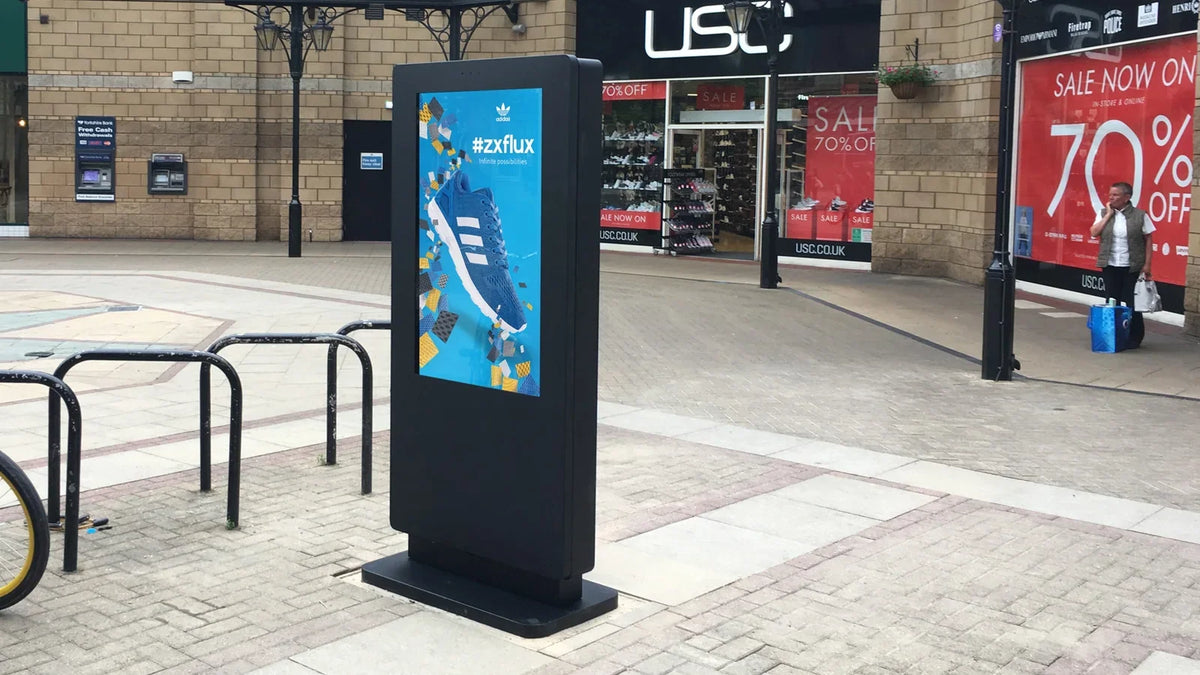
An IP65 monitor has a defined enclosure-protection claim. It does not have a complete outdoor installation specification. Before approving an outdoor display, match the IP evidence to the exact enclosure, protected surfaces, cable entries, and installation conditions. Then assess heat, condensation, corrosion, and service access separately.
This guide is for procurement teams comparing outdoor LCD displays and kiosks. It explains how to turn an IP label into questions a supplier can answer with a drawing or report, rather than treating “weatherproof” as a complete requirement.
Read the two digits before comparing products
IEC 60529 classifies degrees of protection provided by electrical enclosures. In the familiar two-digit IP code, the first digit concerns access and solid foreign objects; the second concerns water ingress under the specified test.
For IP65, the 6 denotes dust-tight protection and the 5 denotes protection against water jets under the relevant test conditions. IP66 changes the water classification to powerful jets. These are test categories, not descriptions of unlimited exposure. Zebra's IP-rating reference provides a useful manufacturer explanation of the digits.
Do not read an immersion classification as automatic proof of every jet test. Ask which classifications were actually established. Likewise, an IP rating printed next to a connector may describe that connector in its specified mated state, rather than the entire display cabinet.

Establish exactly what was assessed
Start with identity. The report, supplier declaration, drawing, and proposed order should describe the same equipment or explain a documented relationship between them. A product name can identify the display; an existing model label helps when available. An invented model number adds no evidence.
Ask whether protection applies to the complete enclosure or a designated face. A front-protected panel installed inside another cabinet presents a different boundary from a freestanding outdoor totem. The rear, service door, ventilation path, and external connections still need an installation solution.
Scroll horizontally if needed to read all columns.
| Procurement question | Evidence to request | Decision it supports |
|---|---|---|
| Which product and enclosure revision does the claim cover? | Identifiable report or declaration, enclosure drawing, and configuration reference | Whether the evidence belongs to the order |
| Are all faces covered? | Stated protection boundary and mounting conditions | Whether exposed sides and rear are addressed |
| What was fitted during assessment? | Cable-entry, plug, cover, and accessory arrangement | Whether the installed assembly matches |
| Does adding a peripheral change the enclosure? | Revised cutout and sealing details, with the applicable evidence | Whether the original claim still applies |
| What must maintenance restore? | Door, seal, fastener, and connection instructions | Whether routine service preserves the intended assembly |
Treat a report number as a route to evidence, not the conclusion. An enclosure photograph can help locate a door or entry point, but cannot show that a specified ingress test was completed.
Follow every path into the cabinet
Mark the display boundary on the installation drawing. Follow power and data cables from their upstream supply to the cabinet. Identify openings, adapters, unused ports, protective covers, junction boxes, and service doors. Record who supplies and installs each part.
A protected display can still be connected through an unsuitable external junction. Conversely, an appropriate field enclosure does not automatically establish the protection of an unrelated display inside it. Review the assembled system and the responsibilities between supplier and installer.

Check where water could collect or run along a cable. Ask the installer to specify the entry orientation and any approved routing or drainage measures. Do not drill additional holes, block openings, add sealant, or alter ventilation based on a generic online tip; those changes need the equipment supplier's agreement.
For a kiosk, repeat this review for the receipt outlet, scanner window, speaker openings, and any customer-accessible connections. “The same cabinet with a printer” may be a materially different assembly.
Keep environmental requirements outside the IP column
Ingress protection answers only part of the outdoor brief. Build separate requirements for ambient conditions, solar exposure, thermal design, humidity and condensation, possible salt exposure, impact risks, and structural mounting. Do not infer these capabilities from IP65 or IP66 alone.
Consider two proposed sites: a sheltered wall and an exposed pedestrian plaza. They may have the same local weather forecast but different exposure, cleaning practices, cable routes, and service constraints. The purchasing comparison should preserve those differences.

The outdoor digital signage buying guide covers the wider site specification. If moisture or fogging is already visible, use the separate LCD condensation guide to record its location and timing before deciding on a remedy.
Put the accepted assembly into the purchase record
Before ordering, retain the agreed product identity, enclosure drawing, protection scope, cable-entry arrangement, accessories, installation instructions, and evidence reference. List any exclusions explicitly. Keep a revision trail when the cabinet or peripheral package changes.
At delivery, compare the supplied assembly with that record. A visual inspection is an identity and condition check; it is not a substitute for an ingress test. Do not improvise a hose or immersion test on delivered equipment. Any additional verification needs an agreed method, responsible parties, and suitable facilities.
Gemdragon's catalog includes outdoor display formats with different cabinet and installation arrangements. Start with the outdoor digital signage range, then provide the intended site, product name, mounting format, exposed faces, connections, and required evidence scope. Request a Quote for a configuration matched to that brief.