Kiosk Payment Terminal Integration: Separate the Cabinet, Payment, and Order States
Define cabinet, terminal, application, and payment-provider responsibilities. Plan order-state recovery and test evidence before freezing the kiosk design.
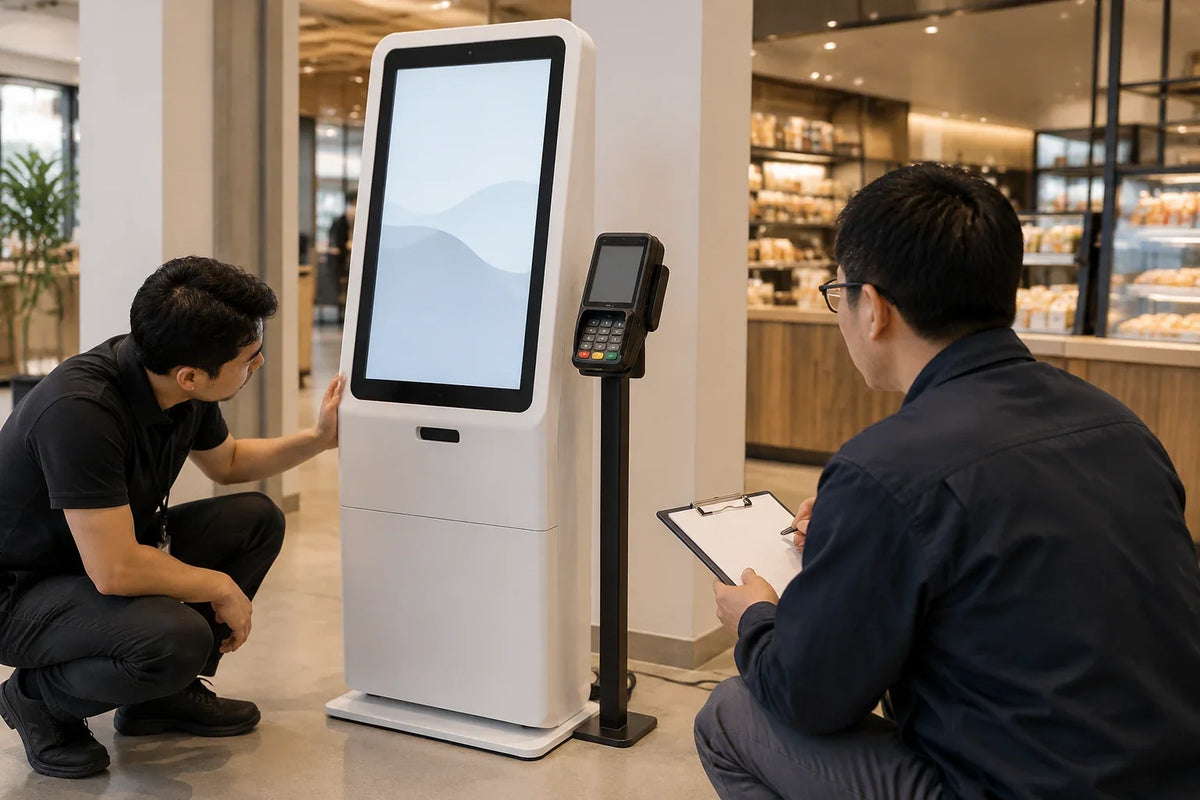
A kiosk cabinet with space for a payment terminal is not a completed payment system. The enclosure, terminal, payment integration, and business application must work together, and each needs an assigned owner.
Before freezing the cabinet drawing, define what happens from selecting an item through payment, order creation, confirmation, and recovery. This guide concerns integration planning and acceptance. The chosen payment provider and merchant arrangements determine supported devices, services, and payment requirements; a display supplier's hardware quote does not replace them.
Assign responsibility before approving the cutout
Identify the terminal and mounting requirements using the selected provider's documentation. Confirm whether the intended unattended use is supported, which market and merchant setup apply, and who supplies and configures the terminal. Leave unconfirmed components out of the installed bill of materials.
Then allocate the work. Who owns the bracket, power and cable route? Who maintains the kiosk application? Who integrates the provider's software? Who resolves a case in which a payment exists but no order was created?

Scroll horizontally if needed to read all columns.
| Work package | Confirm before manufacture | Acceptance evidence |
|---|---|---|
| Cabinet and bracket | Terminal dimensions, permitted mounting, access, cable space | Approved drawing and physical fit check |
| Terminal and service | Exact terminal and provider-supported deployment | Provider/configuration identity and assigned owner |
| Kiosk application | Order reference, amount, customer messages, session lifecycle | Demonstrated task sequence in a supported test environment |
| Payment integration | Request, result, cancellation, uncertain outcome, reconciliation | Provider-specific test cases and recorded outcomes |
| Operations | Staff recovery, replacement, escalation, consumables if present | Usable procedure and responsible contacts |
Do not attach a generic certification claim to this table. Terminal approval, software obligations, merchant configuration, and whole-system requirements have different scopes. Ask the payment provider which requirements apply to the proposed deployment.
Keep payment state separate from order state
“The customer tapped a card” is not a final payment result. “The terminal displayed a result” is not evidence that the ordering application recorded the corresponding order correctly. A receipt printer finishing a page is another separate event.
Define the authoritative source for payment status, the business order reference, and how the integration connects them. The application should show a state it can support with an actual result rather than inferring success from a screen animation or the absence of an error.
Adyen's response-handling documentation provides a concrete example: when a payment response is missing, its integration guidance calls for checking transaction status. It also distinguishes timeout situations. This is a provider-specific example of why “no response” cannot automatically mean “no payment”; it is not a universal API recipe or confirmation of Adyen compatibility with a Gemdragon kiosk.

Agree on how the chosen integration handles duplicate requests and delayed results. Those details belong to its supported transaction model. Do not let an application blindly start another payment because the customer pressed a button twice or a response took longer than expected.
Test the failure paths before testing presentation polish
Use the provider's authorized test environment and test instruments. Do not use real customer payment data or generate live transactions simply to verify the cabinet. Keep test evidence free of cardholder information and credentials.
Include these cases in the joint acceptance plan:
- An approved test payment creates one corresponding order and the intended confirmation.
- A declined or canceled test payment returns the user to the agreed state without suggesting completion.
- A missing or delayed result follows the provider-supported status and recovery path.
- A terminal or network interruption leaves a clear user message and a recoverable staff task.
- An order-application failure after a payment result is reconciled through an assigned process.
- A receipt failure, if printing is included, does not silently create another payment.
For every case, record the test reference, visible kiosk message, provider result, order state, and staff action. The responsible integration team should define expected outcomes from the selected provider's documentation before execution.
Check physical access and service without exposing the system
Place the terminal where customers can approach it and understand which device to use. Review reach, viewing, cable retention, permitted mounting angle, and any provider instructions about access or inspection. A bracket that fits on a drawing still needs a physical check with the selected device.

Separate routine consumable replacement from access to unrelated internal equipment where the design permits. Establish who may open the service area and how a replacement terminal is configured and verified. Avoid discovering after deployment that a consumable change requires dismantling the entire front panel.
The kiosk printer and scanner integration guide covers those peripherals' transaction and service tasks. The payment integration adds its own authoritative results and provider responsibilities.
Quote a defined package
Send Gemdragon the kiosk format, selected or proposed terminal, mounting documents, operating system, application/integration owner, cable and access requirements, and acceptance responsibilities. Request a Quote for the enclosure and hardware scope with the payment service and application responsibilities stated separately. Peripheral options are project-specific; they are not automatically installed or ready to process payments.