Car Dealership Digital Signage: Plan the Showroom and Service Areas
Plan showroom, reception, and service-area screens. Match display formats, content ownership, lighting, and pilot tests to each dealership zone.
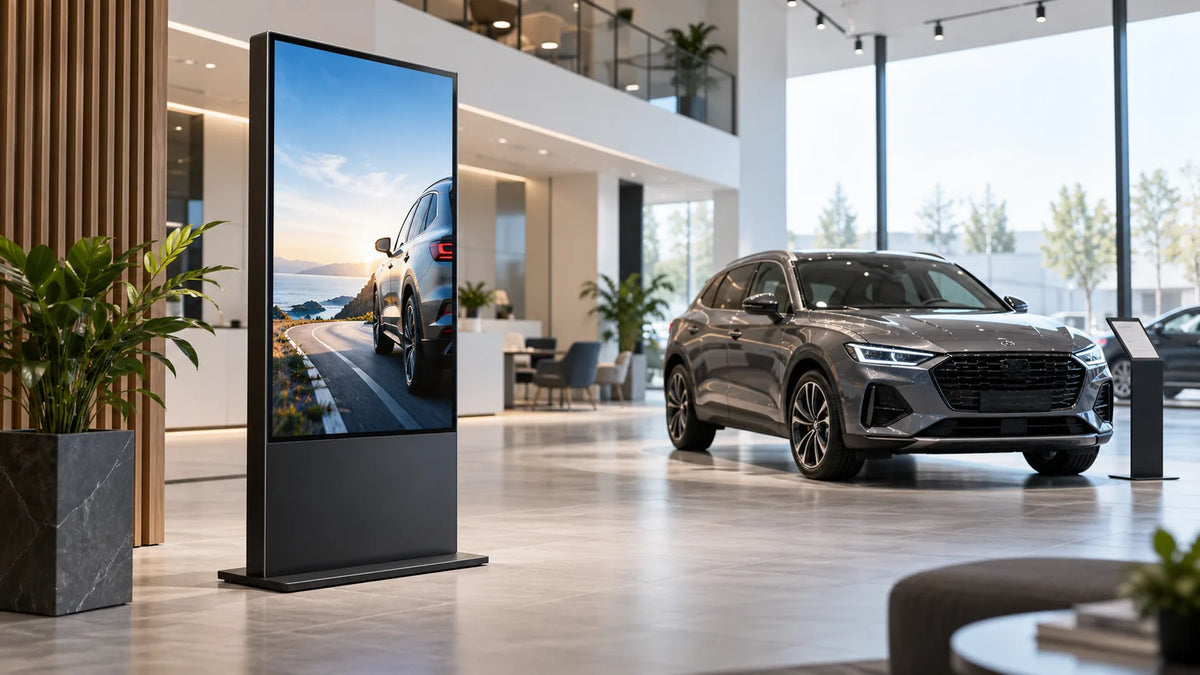
Cover illustration: a conceptual scene, not a Gemdragon model or completed customer installation.
Plan car dealership digital signage by separating vehicle presentation, reception, and service communication. Each area has a different audience, viewing position, content owner, and update risk. Match the display format to the task, test the content under showroom lighting, and agree how expired or unavailable information is removed. A screen beside a vehicle needs a different brief from a waiting-area display, even when both belong to one dealership network.
Give each location a specific job
Begin with the customer journey and the questions staff repeatedly answer. At the entrance, people may need to find reception or an event. Beside a vehicle, they may want a model summary and an obvious way to request a demonstration. In a service waiting area, they may need general process information and approved updates.
Write a task for each screen before selecting hardware. “Promote the brand” is too broad to guide placement or acceptance. “Show the current vehicle summary beside the matching vehicle” gives the content owner and installer something to check.
Do not treat suggested placements as a claim about sales performance. The purpose of this guide is a workable project brief and an evaluation method, not a promised increase in test drives or revenue.

Use a zone-by-zone planning sheet
| Location | Suggested communication task | Hardware and operating check |
|---|---|---|
| Entrance or reception | Direct people to the right team or appointment point | Sight line, doorway clearance, power route |
| Beside a vehicle | Present the correct model and approved product information | Portrait layout, association with the vehicle, stability |
| Main showroom wall | Present a campaign or a clear model comparison | Viewing distance, reflections, legible text |
| Service reception | Explain check-in or an approved service menu | Staff ownership, current information, accessible placement |
| Waiting area | Provide useful updates and appropriate general content | Audio policy, dwell context, content rights |
| Staff area | Share operational information with authorized staff | Visibility boundaries and access control |
Keep outdoor and service-drive locations as a separate environmental assessment. An indoor display does not acquire weather suitability because it is near a service bay or under a canopy.
Choose a form around movement and sight lines
A floor-standing screen can be considered beside a vehicle or in a reception area when its footprint and stability suit the site. A wall-mounted screen may suit a fixed viewing area if the structure, mounting access, and cable route are appropriate. Check the whole unit and service access, not only the panel diagonal.
Our floor-standing guide and wall-mounted buying guide cover those choices. The portrait and landscape checklist helps compare the final layout.
Use representative content at the real location. Showrooms can contain bright glazing, reflective surfaces, and changing light. Inspect the message from the customer's actual path and standing position. Request model-specific information for any proposed window-facing arrangement.

Make vehicle and offer information someone’s responsibility
Assign an owner for vehicle descriptions, campaign assets, availability, and approved offers. Use a defined source and review route. When a vehicle is moved or sold, the associated display needs an update or a safe replacement program.
If financial or promotional terms appear, have the responsible dealership team approve the exact content and its required disclosures for the market. This article does not supply financing terms or compliance advice. Do not make the installer responsible for interpreting an unapproved offer.
For a hypothetical showroom program, give each displayed vehicle a content reference and removal trigger. A vehicle relocation, a sold status, or a campaign end date can trigger a review. The fallback might present a general model introduction without an outdated availability claim. This is a proposed workflow, not a reported dealership implementation.
Confirm the software scope without assuming integrations
Fugo's dealership page distinguishes showroom, lounge, and service-area communication in its own software offering. Its described functions belong to that service; they are not evidence of a Gemdragon integration or a result at your dealership.
If the project needs data from a dealership management or inventory system, name the data owner and integration provider. Specify source access, refresh, expiry, and failure behavior. A display running an Android system or a browser does not establish that it can consume the intended data correctly.
Use CMS compatibility validation and the live-data fallback guide to plan that test. Include software licenses, account ownership, and the network requirements in the procurement scope.

Pilot with ordinary dealership tasks
Test the setup with staff who will actually operate it:
- Find the correct program for a particular screen and vehicle.
- Replace a campaign and confirm the previous one is removed.
- Check a message from the customer viewing position under relevant lighting.
- Exercise the planned opening and closing schedule.
- Test what happens when a live source or connection is unavailable.
- Restore the normal program after a restart or approved interruption.
- Confirm that local staff know who can correct a content problem and who handles hardware faults.
Retain the accepted site arrangement, configuration, and content process before copying the setup to other locations. A pilot can expose workflow issues without claiming a business result from a small sample.
Frequently asked questions
How should a dealership measure a pilot?
Track whether the intended information is current, readable, and correctly associated with its location. If measuring inquiries or appointments, define the source, denominator, period, and attribution method. Screen plays alone are not evidence of incremental sales.
Where should a car dealership put its first digital signage screen?
Choose one location with a specific customer task, such as reception directions or service information. Survey sight lines, dwell time, vehicle movement, and walking space before selecting the display form.
Can digital signage automatically pull vehicle inventory?
Only if the proposed software and data source support a validated connection. Confirm field mapping, approval, refresh behavior, failure handling, and who removes sold or outdated vehicles.
Who should approve vehicle prices and promotional content?
Assign a named owner within the dealership's approval process. Record the source, effective dates, required qualifications, and removal trigger before publishing an offer.
What should a dealership pilot include?
Test ordinary tasks: a visitor finding a department, staff updating an approved item, and a vehicle or offer being withdrawn. Verify the displayed result and recovery process before expanding to more zones.
Prepare a dealership display brief
Send Gemdragon a floor plan or photographs, screen locations, intended content, quantity, viewing conditions, and proposed CMS. Include any customer access, vehicle movement, and service restrictions. Ask for the appropriate display configuration and sample checks. Explore floor-standing displays, wall-mounted displays, and the broader retail deployment context.
Discuss a dealership display project
The scenarios here are planning examples. They are not Gemdragon customer case studies or guaranteed integrations. More project references are in Resources.