Manufacturing Digital Signage: Make the Dashboard Mean the Same Thing on Every Shift
Define the metric, the shift, and the data age before choosing the screen.
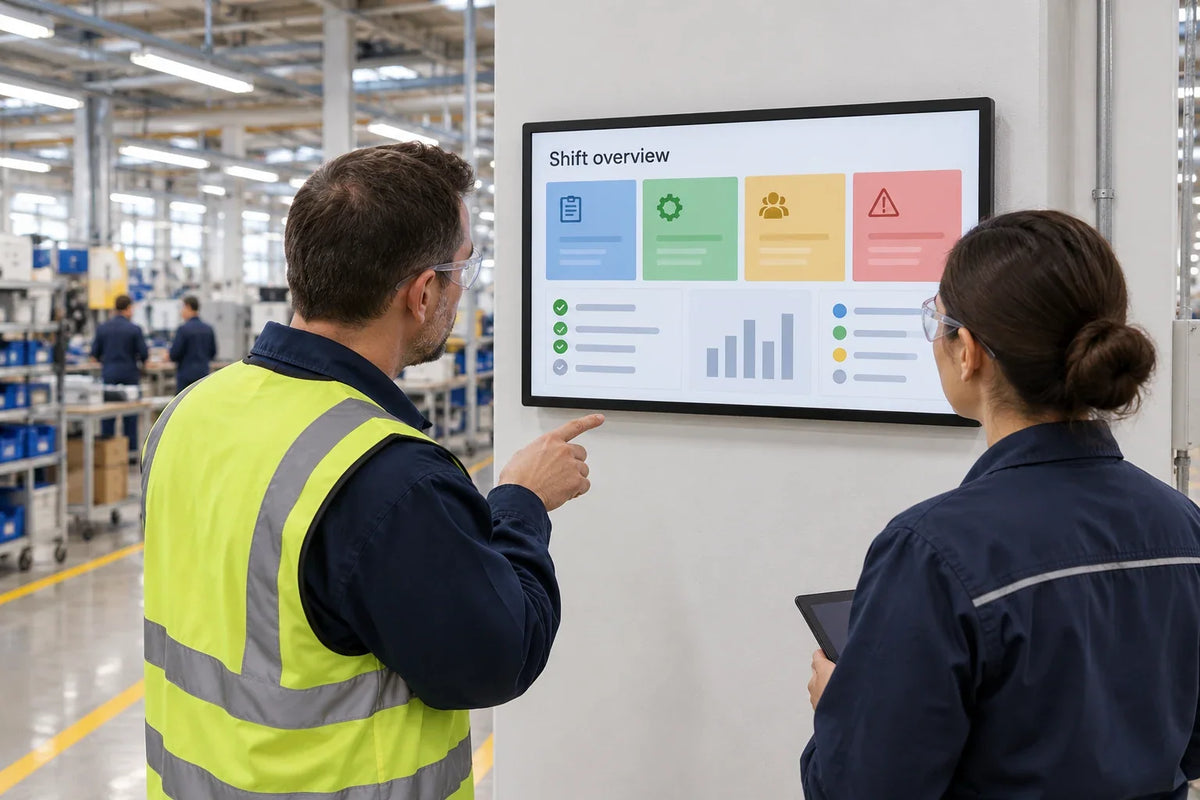
Manufacturing digital signage should make a defined operational message readable where people need it. Before choosing a screen, agree what each metric means, where its data comes from, when it was last updated, and what appears when the feed becomes stale. Then assess the location, environment, playback system, and maintenance access. An information dashboard should be specified separately from machine control, alarms, and safety functions.
A production count without a shift label can be accurate and still mislead the next crew. A green status tile can remain green after its feed stops. Resolve those cases in the specification before discussing dashboard artwork.
What decision should the factory screen support?
Choose a task tied to the location. At a shift meeting point, the useful message might be the plan and current production status. At a material staging area, it might be an approved dispatch update. In a break room, it may be workforce communication rather than a live operational dashboard.
Do not fill a display with every metric available in a business-intelligence system. Ask the intended viewer what they should do differently after reading it. If the answer requires opening another system and studying a chart, the dashboard may be better placed at a workstation.
Treat a digital Andon-style board as a separately defined information workflow. Who changes the status? Who receives the call? What confirms acknowledgment? The word Andon does not prove that the screen is integrated with a production line or provides an alarm function.
How do you define a key performance indicator (KPI)?
Write a data contract in language shared by operations, IT, and the dashboard owner. The following is an original example worksheet; it contains no factory performance data.
| Displayed item | Definition to agree | Context to keep visible | Failure behavior to agree |
|---|---|---|---|
| Output count | Which completed units count, and which source records them? | Line, shift, production date, unit | Mark unavailable or stale when the source is no longer current |
| Target | Which approved plan applies to this period? | Shift or order scope and revision | Avoid silently carrying yesterday's target into today |
| Downtime | Which events start and end the interval? | Affected asset and reason status | Distinguish an open event from a disconnected feed |
| Quality | Which inspection stage and denominator are used? | Product or batch scope and period | Do not convert missing results into zero defects |
| Material status | Who authorizes a status change? | Location, item, and update time | Show the agreed assistance or confirmation route |
If the team wants overall equipment effectiveness, define its inputs and reporting basis before putting an OEE tile on screen. Do not combine counters from different periods simply because the dashboard software can display them together.

How should the dashboard handle stale data and shift changes?
Show when the underlying data was updated, not just the time the web page loaded. Agree an acceptable age for each value. That threshold is an operating decision for the data owner; it is not a universal digital-signage setting.
When a value becomes too old, change its presentation in a way that can be understood without color alone. Use a clear stale or unavailable label and the agreed next step. A frozen count should not retain the appearance of a current production result.
Test the shift boundary deliberately. Check whether the date and shift identifier change together, whether the target resets correctly, and how late source corrections are handled. If the source reports cumulative totals, define where any conversion to a shift total occurs and who maintains it.
The live-data fallback guide covers general feed behavior. This manufacturing plan adds the metric definition, shift context, and operating ownership that a generic API connection cannot supply.
What should IT and operational technology (OT) teams approve?
Ask the responsible IT and operational technology teams to approve the data path. Prefer an authorized reporting interface appropriate to the site's architecture. Do not connect a signage player directly to a machine controller merely because a connector or network route is available.
NIST SP 800-82 Rev. 3 discusses OT network segmentation and controlled communications. It supports involving the site's OT owners in the architecture decision; it does not certify a signage product or make a read-only dashboard secure by itself.
Define the account used by the dashboard, the permitted data, credential ownership, and the process for revoking access. Test what happens when a session expires or authentication changes. A sign-in screen displayed above a production area is a failed operating state even if the network connection is healthy.
Keep the scope clear in the purchase documents: this screen communicates approved information. Any machine-control, alarm, or safety function requires its own engineering and acceptance process.

Can an ordinary commercial display go on the production floor?
Assess the exact location before answering. An office-like assembly area and an exposed machining area may have very different dust, moisture, temperature, cleaning, vibration, and impact conditions. Do not infer environmental protection from a black metal enclosure or from the label industrial.
Record the lighting, sightlines, mounting structure, power and network route, and how a technician will reach the equipment safely. Request the model-specific operating conditions and any evidence required by the site. If an enclosure is proposed, assess the complete assembly, including ventilation and service access, rather than transferring a component's rating to the finished installation.

Gemdragon's wall-mounted display reference is an enclosure reference for a configuration discussion. It does not establish suitability for a dusty, wet, hazardous, or high-vibration location. Those requirements must be evaluated for the ordered equipment and site.
What should the pilot prove before rollout?
Have operations check the displayed values against the agreed source during the pilot. Include a normal shift change, a delayed update, a missing feed, an expired session, and a player restart. Use controlled test data for failure cases rather than disrupting production systems.
For each case, record the input condition, expected screen state, observed screen state, owner, and evidence. A screenshot of a plausible dashboard does not prove that its data is current or that it resets correctly.
Measure whether the intended staff can read and interpret the message from their normal positions. Ask them to identify the line, shift, data age, and next action. Revise the layout if those answers are difficult to find. Any productivity, downtime, or quality improvement requires a separate baseline and measurement plan; it cannot be inferred from installation.
Frequently asked questions
Can we display an existing Power BI or other BI dashboard?
Possibly, depending on the software, licensing, authentication, player, and rendering requirements. Test the actual report on the proposed configuration, including session expiration and restart. A successful laptop demonstration does not establish unattended playback support.
Is a digital production board a machine-control system?
This guide treats it as an information display. If the project needs control, alarms, or safety functions, specify them separately with the responsible engineering teams. Do not use general signage availability as evidence of control-system performance.
What should a disconnected production counter show?
Use the state agreed by operations: for example, a clearly marked stale value with its last update, or an unavailable message. Do not show a fresh-looking zero when the count is unknown.
What screen size is appropriate for a factory dashboard?
Select it from the intended reading distance, essential text size, layout, and sightlines, then test in the real location. A screen with many small dashboard tiles may need a simpler layout before it needs a larger panel.
What details make a hardware inquiry useful?
Provide the location and environmental conditions, screen quantity, installation country, viewing positions, content sample, operating hours, and proposed player or content management system (CMS). Include the approved data path and any site-specific evidence requirements.
Discuss the display side of the project
Gemdragon focuses on commercial digital signage for system integrators and software solution providers. Share the site conditions and proposed playback setup to discuss display configuration. Keep OT access, data approval, and operational acceptance with the teams responsible for those systems.
Discuss a factory information display
Continue with the hardware checklist for integrators and installation site pack, or browse commercial display fieldnotes.
Editorial scope: the worksheets describe a proposed procurement method. They are not a plant installation record, an OT security assessment, or a report of measured production improvements. Cover image: photo-style AI scene illustration, not a customer installation or a verified product test.