E-Paper vs LCD Signage: Pick by the Content, Not the Technology
E-paper is reflective and bistable. LCD is backlit. Which one suits your content depends on four questions about light and movement.
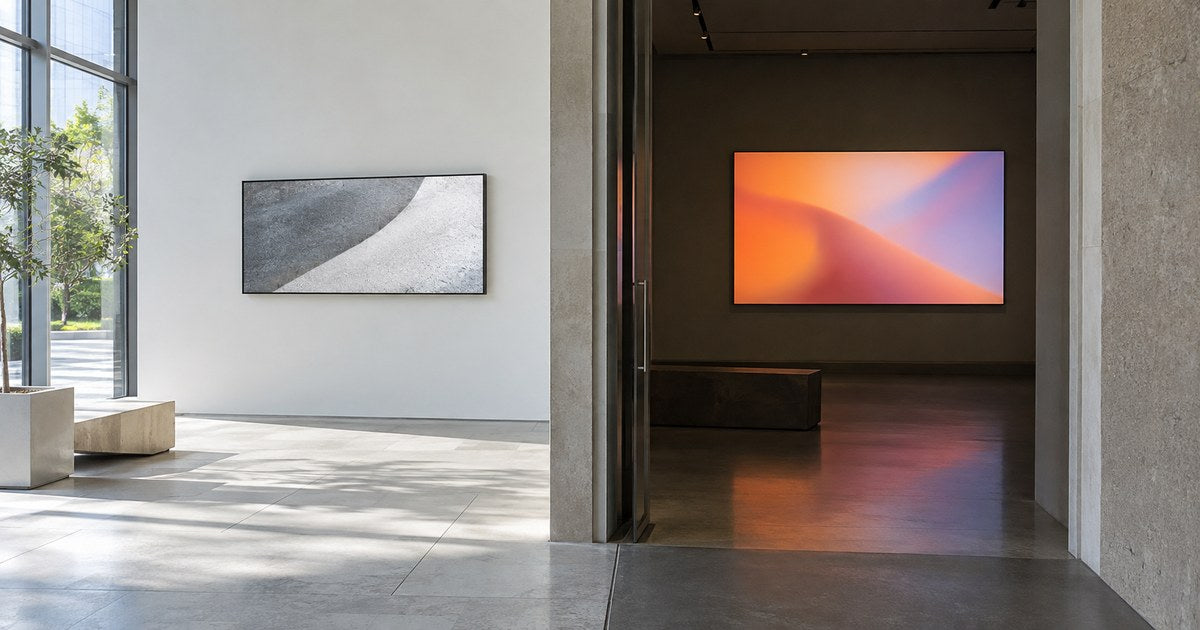
An assumed scenario, constructed to show the decision. It describes no named customer and reports no measured result.
A client asks for e-paper because they heard it uses almost no power. The screen they actually need has to run a moving promotion, and the one they asked about cannot. The reverse happens too: a store replaces a perfectly good static directory with a video wall, then puts one unchanging image on it for two years.
E-paper and LCD are not two versions of the same product. They form a picture in different ways, and that difference decides which content each of them can carry well. This guide is how to work backwards from the content and the light in the room to the right answer, and how to compare two candidates on the same basis.
Start with the job the screen has to do
Write down what appears on the screen and how often it changes. Almost every real signage job falls into one of four shapes, and the shape decides the shortlist before you look at a single datasheet.
A message that changes rarely. Opening hours, a directory, a poster, a menu that is reprinted monthly. Days or weeks between changes.
A message that changes constantly. Prices, offers, dayparts, queue information. Changes several times a day, sometimes by rule rather than by hand.
Moving content. Video, animation, a countdown, a promotion that is designed to attract a glance.
An interactive task. Somebody walks up, finds something, and gets an answer. A product finder, a wayfinding terminal, a check-in.
The four shapes differ in what they ask of a display: how often the content has to change, whether anyone touches it, and how visible it has to be in that light. Those requirements, not the category, decide whether two jobs can share a shortlist. A directory that changes occasionally and an animated promotion should not inherit the same specification just because both are called digital signage.
Samsung announced a 13-inch color e-paper display in January 2026, positioned as an alternative to printed signage in business settings. That is one named product at one size. It is a good reason to keep e-paper on a shortlist where the content suits it, and it is not a reason to assume e-paper fits a 55-inch window.


How the two technologies actually differ
E-paper is reflective and bistable. Ambient light is what makes the image visible, and the image remains after the display's power is removed. E Ink explains both properties in its own technology material, and they are the two facts that matter for planning.
Reflective means the screen is read by the light already in the room. That is an advantage in a bright lobby and a problem in a dark corridor, where the display needs illumination from somewhere.
Bistable means power is not needed to hold an image. It does not mean the device uses no energy. The controller, the network connection, any sensors and any added lighting all still draw power, and they are part of the installation even though they are not part of the panel.
LCD signage is backlit. A powered light behind the panel illuminates the image, which is why it is readable in a dark room. Two separate things follow, and they are easy to run together. Being readable in the dark is the backlight's doing. Showing motion is not: that comes from how quickly the panel and its driving electronics can change what is displayed, which is why a video wall and a price board can share a backlight technology and still differ in what they can play. The trade for both is continuous power to the backlight and the electronics, and a brightness figure you should always read with its measurement conditions attached. Choosing between the two architectures is a different question, and the embedded versus external player guide covers it.
Neither property is a virtue on its own. They are two different answers to the question "where is the light coming from, and does the picture need to move."
Six questions for the shortlist
Fill this in per candidate, and record the model and configuration against every answer. The tests are the point of the table: they are the things a datasheet cannot tell you.
| What the content needs | The question to ask | The test that answers it |
|---|---|---|
| Static information | How often will it change, and who changes it? | Update the final artwork on the candidate and look at the result |
| Motion | Is video or animation essential to the job? | Play the actual media file, not a demonstration clip |
| Colour accuracy | Do product colors or fine labels have to be distinguished? | Review the approved artwork on each candidate |
| Time-sensitive data | What shows when a new value does not arrive? | Interrupt the update and watch the screen |
| Interaction | Is there a working input and application path? | Complete the real customer task end to end |
| A dim location | Can the content be read in the light that is actually there? | Inspect at the site, at the times that matter |
Two rows are commonly skipped and then regretted. Time-sensitive data: if a price changes by rule, a failed update is a wrong price on a screen, and the fallback behavior belongs in the specification. A dim location: a reflective display in a dark corridor is a dark screen, and the fix is either lighting or a different technology.
Judge visibility where people actually stand
Look at the candidate from the position the audience occupies, with the finished content on screen, including the smallest text that has to be readable. Then look for what is between the two: reflections, obstructions, and how the light changes through the day.
If the screen is going behind glass, test it with the glass in place. Window positions have their own survey method, and it is worth doing properly — see the window display survey.
Do not use a photograph as the acceptance test. A camera adjusts its exposure and processes the image, so a photograph can flatter a screen or condemn it. Use the photograph to record what you tested and from where, and judge the screen with your eyes.
When a location does not work, change one thing at a time. Adjusting the placement or editing the content is often cheaper than moving to a different panel, and it tells you which of the two was the actual problem.
Compare energy on the same boundary
A power figure is only meaningful if you know what it includes. Ask each supplier what their number covers:
- the display panel itself;
- any electronics inside the display;
- an external media player;
- networking and connectivity;
- any separate illumination added for a dim location.
Then ask for the update pattern and the operating schedule the figure was measured under. A static image held for a month is not the same duty as a screen updating every few minutes, and comparing one candidate's static figure against another's active figure is not a comparison.
If you can obtain a measured average system power for each candidate, energy follows from it: average kilowatts multiplied by operating hours, with standby periods counted separately. That is a calculation with your own inputs, not a claim that either technology saves energy in your building. We publish no consumption or saving figure for any product, because the number depends on the configuration, the content and the schedule.
What this guide does not cover
It gives no lifetime, brightness or power figure for either technology, because those belong to a specific model and test condition. Outdoor installations carry their own weather and safety requirements. It compares no prices and recommends no panel, size or model.
Send the content, get a candidate list
Tell us what appears on the screen, how often it changes, where the screen will stand, and what the light is like there. We will tell you which configurations suit that job, what each needs for installation and servicing, and which of your requirements can only be confirmed on a model-specific basis.
Tell us what appears on the screen →
Sources
- E Ink: reflective and bistable display technology — the technology provider's own explanation. Used only for the reflectivity and bistability distinction against backlit LCD.
- Samsung: 13-inch color e-paper announcement — January 2026, one named product.
Compiled September 29, 2026. The method is the author's; the external sources are listed above, and the opening scenario is constructed rather than reported.