

A procurement and engineering checklist for turning one digital signage sample into a controlled reference for appearance, function, compatibility, reliability and packaging.
Key takeaways
- Confirm the sample matches the quoted configuration.
- Inspect appearance, image, interfaces and software separately.
- Test recovery and continuous operation, not only initial power-on.
- Approve packaging and documentation with the product.
Verify identity before testing
Match model, screen size, orientation, panel, player, memory/storage, ports, enclosure color, accessories and power cord to the quotation and approved drawings.
Record serial numbers, firmware, OS and application versions. If the sample is not production-representative, label every difference and define how the final configuration will be verified.
Inspect mechanical appearance
Use consistent lighting to check finish, gaps, alignment, fasteners, doors, base, vents, glass and labels. Operate locks, access panels and moving parts.
Photograph all sides and critical details. Agree which cosmetic observations are acceptable, repairable or rejectable before production.
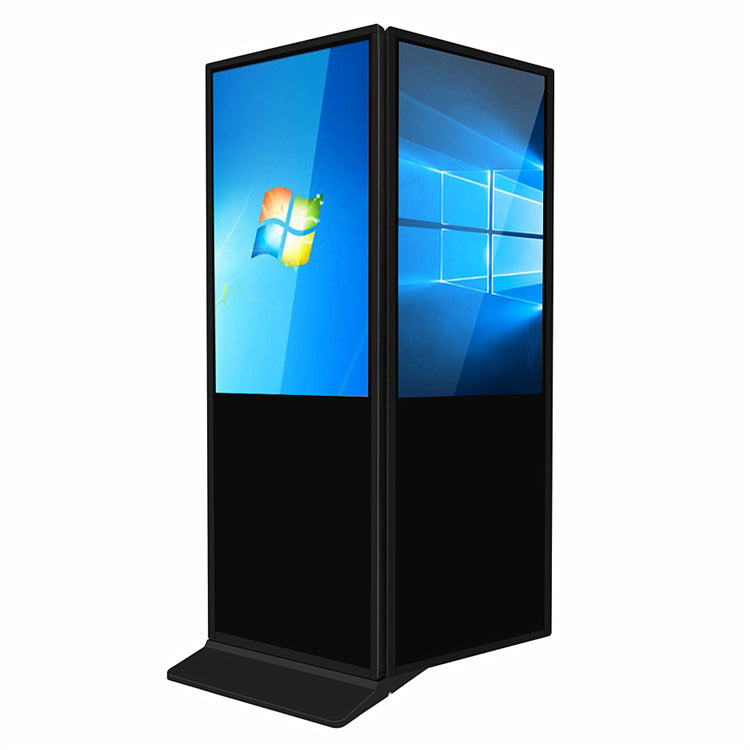
Evaluate image quality
Use solid colors, grayscale, gradients, text and moving video. Check uniformity, bright or dark points, light leakage, banding, flicker, color shift and viewing angle.
Acceptance rules should reference the exact panel or project agreement. Avoid inventing universal thresholds that the supplier and buyer have not approved.
Test hardware and software functions
Verify every required input, USB port, network interface, speaker, touch function and peripheral. Run the intended player and CMS build with production-like content.
Test auto-start, scheduled power, input memory, time synchronization, remote commands and behavior after signal or network loss.
Run stress and recovery tests
Operate the unit continuously for an agreed period under a representative workload. Observe temperature behavior, unexpected restarts, noise, image stability and network status.
Interrupt power and network safely, then record recovery. The objective is not to simulate every lifetime condition but to find integration and assembly issues before scale.
Approve packaging and handover
Inspect foam, bag, carton, pallet or crate, accessory separation, labels and unpacking sequence. Consider vibration, tipping, moisture and last-mile handling relevant to the route.
Review manuals, drawings, packing list, spare parts and change-control contact. The approved sample record should travel with the purchase order.
Decision table
| Gate | Typical checks | Decision |
|---|---|---|
| Configuration | Model, panel, player, ports, accessories | Matches / deviation |
| Quality | Appearance and image criteria | Accept / repair / reject |
| Integration | CMS, network, recovery | Pass / retest |
| Delivery | Packaging and documents | Approve / revise |
Pre-purchase checklist
- Quoted configuration matched
- All sides photographed
- Image test patterns reviewed
- Required ports and CMS tested
- Recovery/continuous run completed
- Packaging and deviations approved
Frequently asked questions
Is one sample enough for a bulk order?
It can be enough to approve a configuration when it is production-representative and the production inspection plan is also defined.
Who should sign the sample record?
Relevant procurement, engineering/integration and quality owners should approve the criteria they own.
What happens if firmware changes after approval?
Record the change, assess impact and repeat affected compatibility and recovery tests before shipment.
Continue your research
Editorial note: This guide provides a project-planning framework. Final specifications, environmental ratings, warranty coverage and acceptance criteria must be confirmed for the exact model and purchase agreement.




